How to Qualify Sales Leads for Smarter Outreach


So, what does “qualifying sales leads” actually mean?
It’s just a systematic way of figuring out if a prospect is actually a potential customer. It’s about focusing your energy on the people most likely to buy, instead of wasting time on the ones who never will.
The process usually boils down to evaluating prospects against a few core criteria: their budget, who has the authority to sign off, what their actual need is, and the timing of their purchase. This simple filter helps you separate the real opportunities from the dead ends, which means your sales team can invest their time wisely, boost conversion rates, and shorten the entire sales cycle.
Stop Chasing Leads That Go Nowhere
The single biggest time-waster in sales isn't making cold calls. It’s pouring hours and hours into prospects who were never going to buy in the first place.
Chasing unqualified leads burns through your two most valuable resources—time and energy. It leaves you with a pipeline that looks full but generates zero revenue. This is the exact problem that a solid qualification process solves. It turns a reactive, scattered sales effort into a proactive, high-performing engine.

Effective lead qualification is all about creating a filter. This isn't about some complex enterprise theory; it's a practical, real-world system that any solo operator or small team can implement right away. By defining clear criteria, you can quickly separate the genuine opportunities from the endless distractions.
The Pillars of a Strong Qualification Framework
At its heart, qualifying leads comes down to answering a few fundamental questions. These pillars are the building blocks for a simple yet powerful framework you can tailor to your own business.
Here’s a quick-start table to help you think through the core questions. We'll dive into each of these in more detail, but this gives you the high-level view.
Your Lead Qualification Quick-Start Framework
| Pillar | Key Question | What You Need to Define |
|---|---|---|
| Fit | Does this prospect match your Ideal Customer Profile (ICP)? | Industry, company size, specific challenges, tech stack. |
| Need | Do they have a clear, urgent problem you can solve? | A tangible pain point with real business consequences. |
| Authority | Are you speaking with the actual decision-maker? | Job titles, influence levels, budget ownership. |
| Timing | Is now the right time for them to make a purchase? | Project timelines, budget cycles, key trigger events. |
Let's break down what each of these pillars really means in practice.
- Fit: Does this prospect actually look like your Ideal Customer Profile (ICP)? Think about their industry, company size, and the specific problems they're up against. If they don't resemble your best customers, they probably won't become one.
- Need: Do they have a clear, urgent problem that your solution is built to solve? A vague interest isn't a need. You're hunting for a tangible pain point that creates a compelling reason for them to take action.
- Authority: Are you talking to the person who can actually make a decision? If not, can your contact influence that decision, or can they connect you with the person who holds the purse strings?
- Timing: Is now the right time for them to buy? A prospect could be a perfect fit with a burning need, but if they don't plan to make a decision for another year, they belong in a nurture sequence, not your active sales pipeline.
A well-defined qualification process is your first line of defense against a bloated, inefficient pipeline. It ensures every minute you spend on outreach is a strategic investment, not a sunk cost.
The speed of your response matters, too. A lot. Companies that contact a lead within one hour are 7 times more likely to actually qualify that prospect than those that wait even two hours.
When you pair that rapid engagement with a strong qualification filter, businesses can hit conversion rates of up to 40%. That's a massive jump from the typical 11% you see with unqualified leads.
If you want to fundamentally stop chasing leads that go nowhere and start attracting better prospects from the very beginning, it’s worth reviewing these lead generation best practices.
Building a Practical Lead Scoring System
Lead scoring sounds way more complicated than it needs to be. Forget the expensive software and tangled algorithms for a minute. The real goal is to build a simple, effective model with tools you already use—like Google Sheets or your CRM—to figure out who's actually worth your time.
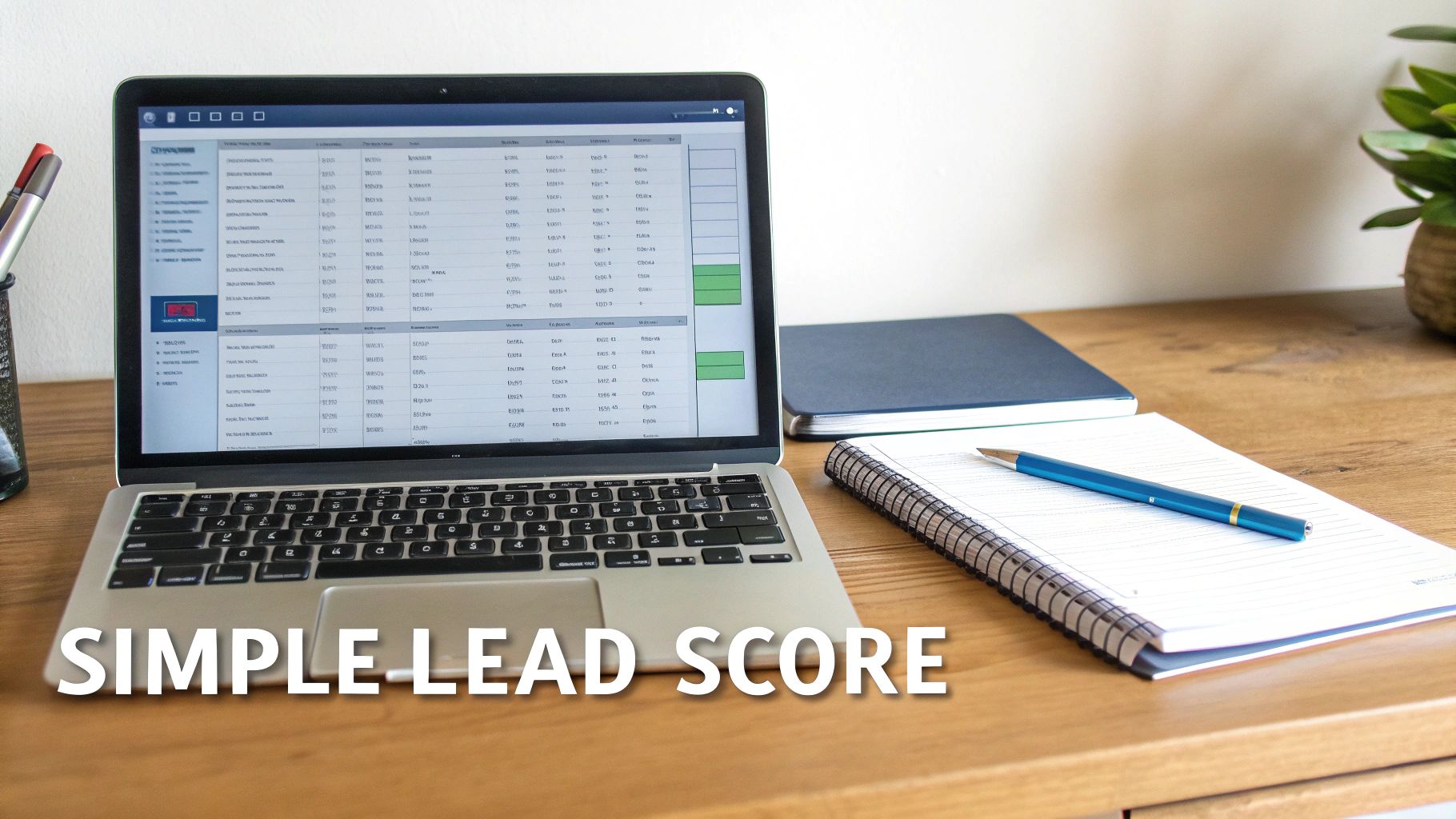
The whole system works by assigning points to leads based on who they are and what they do. This score tells you, at a glance, who to call right now and who can wait, making sure your energy goes where it will actually make a difference.
Identifying Key Scoring Attributes
Your scoring model is basically a mirror of your ideal customer. It needs to blend firmographic/demographic data (who they are) with behavioral data (what they do).
First, jot down the absolute non-negotiables of a good-fit customer. Then, add the actions they take that scream "I'm interested."
- Firmographic Data: This is all about the company. Think company size, industry, location, and maybe even annual revenue. If a lead lines up with your Ideal Customer Profile (ICP) here, they get a solid chunk of points.
- Behavioral Data: This is where you track how a lead interacts with you. Did they visit your pricing page? Download an ebook? Request a demo? These are huge buying signals and should be weighted heavily.
The hard truth is that around 75% of marketing leads aren't ready for a sales conversation, and a staggering 79% of them never convert at all. This is exactly why a scoring system is so critical. It’s an early disqualification tool that can save a sales team about 32% of their time.
A B2B SaaS Scoring Example
Let's imagine a B2B SaaS company that sells project management software to marketing agencies. We'll build a quick scoring system to sort their leads. The total score will tell them where each lead belongs in the sales funnel.
By the way, if you need a refresher on funnel stages, you can find a good breakdown here: https://www.unkoa.com/b-2-b-sales-funnel-stages/
Here’s how they could assign points:
Firmographic Scoring (Max 50 points)
- Industry is "Marketing & Advertising": +25 points
- Company Size is 10-50 employees: +15 points
- Job Title contains "Manager" or "Director": +10 points
Behavioral Scoring (Max 50 points)
- Requested a Demo: +25 points
- Visited Pricing Page (3+ times): +15 points
- Downloaded "Agency Workflow" Case Study: +10 points
With this system, a "Marketing Director" at a 30-person agency who just requested a demo instantly gets 70 points (25+15+10+25). That's a hot lead.
On the flip side, an intern from the wrong industry who only grabbed the case study ends up with just 10 points. They’re not a priority and should probably go into a long-term nurture sequence.
This simple, points-based approach creates a clear hierarchy, helping you focus your outreach with a lot more confidence. And if you want to get more advanced down the road, you can even leverage AI for more precise lead scoring to make the whole process even more efficient.
Using Your Sales Tools to Filter for Gold
Your lead scoring system is just a theory until you put it to work. Now it’s time to get practical and use your sales tools to turn a sprawling list of prospects into a tight, focused list of people who are actually likely to buy. This is where your database stops being a passive list and becomes an active qualification engine.
The goal is simple: bake your Ideal Customer Profile (ICP) and scoring rules directly into your tools. It doesn't matter if you're using a slick platform or a humble spreadsheet. You can build filters and custom views that do the heavy lifting for you, surfacing the gold automatically.
Implementing Filters in Apollo
Let's walk through a real-world example. Imagine your ICP is marketing managers at North American tech companies with 50-200 employees. You can build this exact search in a tool like Apollo and get a hyper-targeted list in minutes.
Here’s how you’d set that up:
- Job Titles: "Marketing Manager," "Head of Marketing"
- Industry: "Software," "Information Technology," "Internet"
- Employee Count: 51-200
- Location: "North America"
That simple combo of filters instantly cuts out thousands of irrelevant contacts. What you're left with is a clean list of people who perfectly match the firmographic side of your scoring model.
Here’s a look at what this filtering process looks like inside the platform.
The real power here is how granular you can get. You’re layering multiple data points to carve out a precise segment that mirrors your best customers.
Building Custom Views in Your CRM or Spreadsheet
You don’t need a fancy prospecting tool to make this work, either. Most CRMs let you build custom "views" or "lists" based on specific properties. You could easily create a dynamic list that only shows you contacts where "Industry = SaaS" and "Lead Score > 60."
And if you're just starting out, a well-organized spreadsheet can do the job. Just use the filter function to sort your master list by company size, job title, or location. It’s a bit more manual, but it’s a free and surprisingly effective way to prioritize your outreach using the scoring system you’ve already built.
The whole point is to make your qualification criteria actionable. By building these filters, you ensure you're only spending time on leads who have already passed the first, most important test: are they a good fit?
No matter what tools you use, a reliable CRM is the bedrock for managing these relationships long-term. If you're a solopreneur or running a small team and looking for the right system, our guide on the best CRM for solopreneurs can help. A good CRM helps you track every interaction, update lead statuses, and keep your pipeline from turning into chaos. When you integrate your filtering rules, you create a powerful workflow that consistently brings your best opportunities to the surface.
Crafting Outreach That Qualifies for You
Your very first message is more than just an intro—it's your first qualification tool. Every email and LinkedIn message is a chance to learn something about a prospect's fit and intent, helping you decide if they're actually worth your time.
Effective outreach isn't about generic "checking in" messages. It’s about delivering value while asking subtle questions that probe for a need. The goal is to build a communication flow that naturally filters prospects, so only the most qualified people end up in a real conversation.
Designing Value-Driven Outreach
The trick is to frame your outreach around a common industry challenge. This immediately positions you as a helpful expert, not just another salesperson trying to hit a quota. By referencing a specific pain point and asking how their team is handling it, you can uncover their needs without coming across as pushy.
For example, you could highlight a new trend hitting their industry and then ask a simple, open-ended question about their approach. A response—or even the lack of one—is a piece of qualification data. For a deep dive into structuring these messages, our guide on how to write cold emails offers actionable templates and proven strategies.
Sample Outreach Scripts
Here are a couple of examples you can adapt. Notice how they focus on the prospect’s world, not yours.
LinkedIn Connection Request & Follow-Up
Connection Request:
"Hi [Name], I saw your post on [Topic] and was impressed by your team's work at [Company Name]. Connecting with other leaders in the [Industry] space. No sales pitch, just building my network."
Follow-Up Message (2 days later):
"Thanks for connecting, [Name]. I noticed many [Industry] teams are struggling with [Specific Challenge]. How is your team at [Company Name] navigating this right now? Curious to hear your perspective."
This approach is low-pressure and feels like starting a real conversation. Their answer will immediately tell you if they even recognize the problem, which is the first step in qualifying for need.
Cold Email Template
Subject: Question about [Prospect's Industry] workflow
Hi [Name],
My name is [Your Name], and I specialize in helping [Type of Company] like yours solve [Specific Problem].
I was looking at [Company Name]'s website and saw you're focused on [Company Goal]. Many teams we speak with find that [Common Challenge] becomes a major bottleneck when trying to achieve that.
Is your team currently using any specific tools or processes to manage [Challenge]?
Best,
[Your Name]
This script is direct but respectful of their time. It quickly establishes relevance and asks a qualifying question that gets right to their current situation. Using tools like Brevo or Lemlist lets you automate these initial sequences while still personalizing the important bits for maximum impact.
The Qualification Call Cheat Sheet
Once a prospect responds and shows interest, the next step is a quick qualification call. This isn't a full demo; it's a 15-minute conversation to confirm they are a legitimate opportunity before you invest more time.
Here are the essential questions to guide that call.
Qualification Call Cheat Sheet
| Question Category | Example Question |
|---|---|
| Current Process | "Can you walk me through how your team handles [The Challenge] today?" |
| Pain & Impact | "What's the biggest frustration with that process? How does it impact your team's goals?" |
| Authority | "Besides yourself, who else on the team would be involved in evaluating a new solution?" |
| Timing & Urgency | "Is solving this a priority for you in the next quarter?" |
| Budget | "Have you allocated a budget for tools to address this, or is this a new exploration?" |
This structured conversation gives you everything you need to know. It helps you decide if a full demo is a valuable use of everyone’s time or if this lead should be moved into a long-term nurture sequence instead.
Your Daily 30-Minute Qualification Workflow
Turning lead qualification theory into a disciplined daily habit is what separates a stalled pipeline from a thriving one. This isn't about adding hours to your day; it's about making the most of a focused 30-minute block.
A repeatable workflow removes the guesswork. It ensures you consistently feed your sales process with high-quality opportunities, transforming qualification from a sporadic chore into a powerful ritual.
The 30-Minute Breakdown
The key is structure. By breaking the process into timed, manageable chunks, you can efficiently review new leads, apply your filters, send personalized outreach, and keep your CRM updated without getting overwhelmed.
I use a simple checklist in Notion to stay on track, but a tool like Todoist works just as well. The tool doesn't matter as much as the habit.
Here’s a practical schedule you can run with every single day:
Minutes 1-10: Review & Filter
First thing, open your primary lead source. This could be a saved search in Apollo or a custom view in your CRM. Your goal here is speed: quickly apply your scoring criteria to isolate the top 10-20% of prospects who are a clear fit based on your filters.Minutes 11-25: Personalized Outreach
Now, shift your focus to quality over quantity. For that handful of top-tier leads you just identified, it's time for outreach. Use your email or LinkedIn templates, but spend an extra minute or two personalizing the first line of each message. This small effort makes a huge difference.Minutes 26-30: Log & Update
Finally, wrap up by logging your activities. Update lead statuses in your CRM, add notes from any interactions, and schedule your next follow-up. This five-minute step is what keeps your pipeline clean and ensures no qualified lead ever falls through the cracks.
This simple flow boils down the core steps of engaging and actually qualifying a prospect.
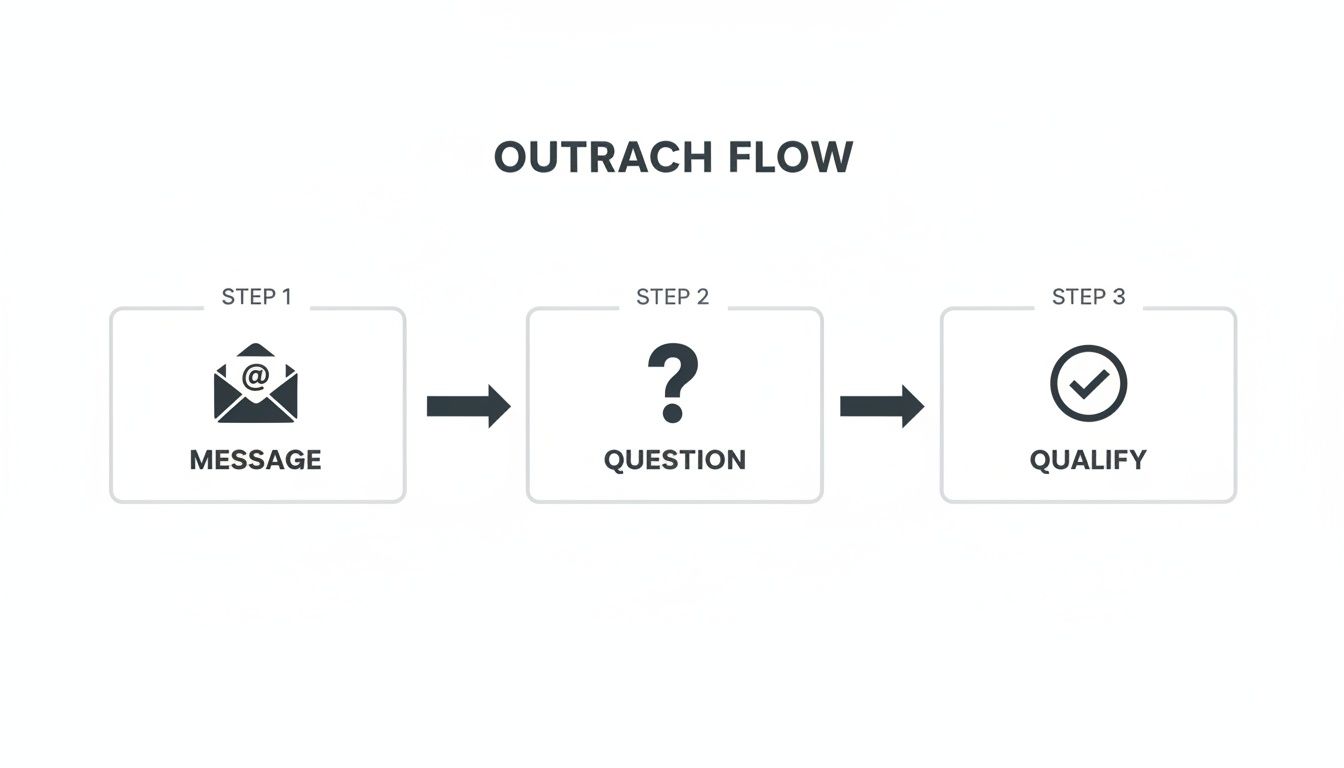
As the visual shows, the process is simple: message, ask a question, and then qualify. Each step is designed to gather information and move only the best-fit leads forward.
Committing to this 30-minute routine every day builds powerful momentum. It’s not about finding more time; it’s about making your time more impactful by focusing exclusively on leads that have the highest potential to become customers.
Of course. Here is the rewritten section, following all your requirements for a natural, human-written style.
Your Most Common Lead Qualification Questions, Answered
Even with the best workflow on paper, the real world gets messy. Things come up. You hit roadblocks. Here are some quick answers to the questions I see pop up most often when people are getting their qualification process dialed in.
How Many Times Should I Actually Contact a Lead?
Everyone wants a magic number, but there isn't one. A good starting point, though? Aim for 5-7 touches across different channels—think email, a LinkedIn message, maybe a quick call—spread out over two weeks.
The real goal isn't just to check boxes. You're trying to gather enough information to make a smart decision.
Sometimes a lead is a perfect ICP fit but goes completely silent. The timing is probably just off. Don’t sweat it. Other times, they reply to your first email, but their answers make it painfully obvious they have no budget or need. Great! Disqualify them right away and move on.
Focus on the quality of the interaction, not just hitting a touchpoint quota.
What's the Real Difference Between an MQL and an SQL?
Getting this right is absolutely critical if you want your marketing and sales efforts to work together instead of against each other. They’re just two different stops on the prospect’s journey.
- MQL (Marketing Qualified Lead): This is someone who raised their hand. They downloaded an ebook, sat through a webinar, or signed up for a newsletter. They’ve shown some interest, but they haven't been properly vetted to see if they’re actually ready to buy anything.
- SQL (Sales Qualified Lead): This is where you come in. An SQL is a lead that the sales team has personally researched and confirmed is ready for a real sales conversation. They check the boxes for budget, authority, need, and timing (you'll hear this called BANT).
Your entire job is to build a repeatable process that turns those promising MQLs into rock-solid SQLs.
Think of it like this: Marketing finds all the people waving in a crowd (MQLs). Sales walks into that crowd and figures out who is actually ready to talk about buying something today (SQLs).
Should I Just Delete a Lead if They Have No Budget?
Absolutely not. Well, not entirely. You should definitely disqualify them from your active pipeline for this quarter, but just deleting the contact is a huge mistake. This is a golden opportunity for lead nurturing.
If a prospect is a perfect fit in every other way—they have the exact problem you solve, you’re talking to the decision-maker, and they genuinely love your solution—a lack of budget is often temporary.
Instead of trashing the lead, move them into a long-term nurture sequence. I use a tool like Brevo for this.
Send them something genuinely useful once a month—a case study, an interesting article, an industry report. No hard selling. You're just staying top-of-mind. When their budget finally gets approved next year, you’ll be the first person they call.