12 Best LinkedIn Automation Tools in 2026


Scaling your outreach on LinkedIn is a powerful way to generate leads, build partnerships, and grow your brand. But manually sending connection requests, personalizing messages, and following up with hundreds of prospects is a full-time job. This is where LinkedIn automation tools become essential, especially for solo founders, consultants, and small marketing teams who need to maximize their impact without hiring a sales development representative.
This guide moves beyond generic feature lists to provide a hands-on review of the best LinkedIn automation tools available today. We'll explore exactly how each platform works, what it costs, and the critical safety trade-offs you need to consider to protect your account. You will find a detailed analysis of tools like Expandi, Dripify, and PhantomBuster, complete with recommended settings, proven message templates, and specific use-cases to help you get started quickly.
We will focus on practical application, showing you how to build targeted outreach campaigns that feel personal and drive real conversations. While these tools are fantastic for direct outreach, managing your content pipeline is a different challenge. For a comprehensive look at tools designed to manage and schedule content across various platforms, refer to our guide on the best scheduling apps for social media. In this article, however, our focus remains squarely on automating direct engagement to fill your sales funnel. Each tool review includes screenshots and direct links, helping you compare options and choose the right software for your specific business goals and budget. Let's find the perfect tool to put your LinkedIn lead generation on autopilot.
1. Expandi
Expandi stands out as a robust, cloud-based platform and one of the best LinkedIn automation tools specifically engineered with safety and scalability in mind. It operates from the cloud, meaning your campaigns run continuously without needing your computer to be on. This is a significant advantage for busy founders and small teams who need their outreach to work around the clock.
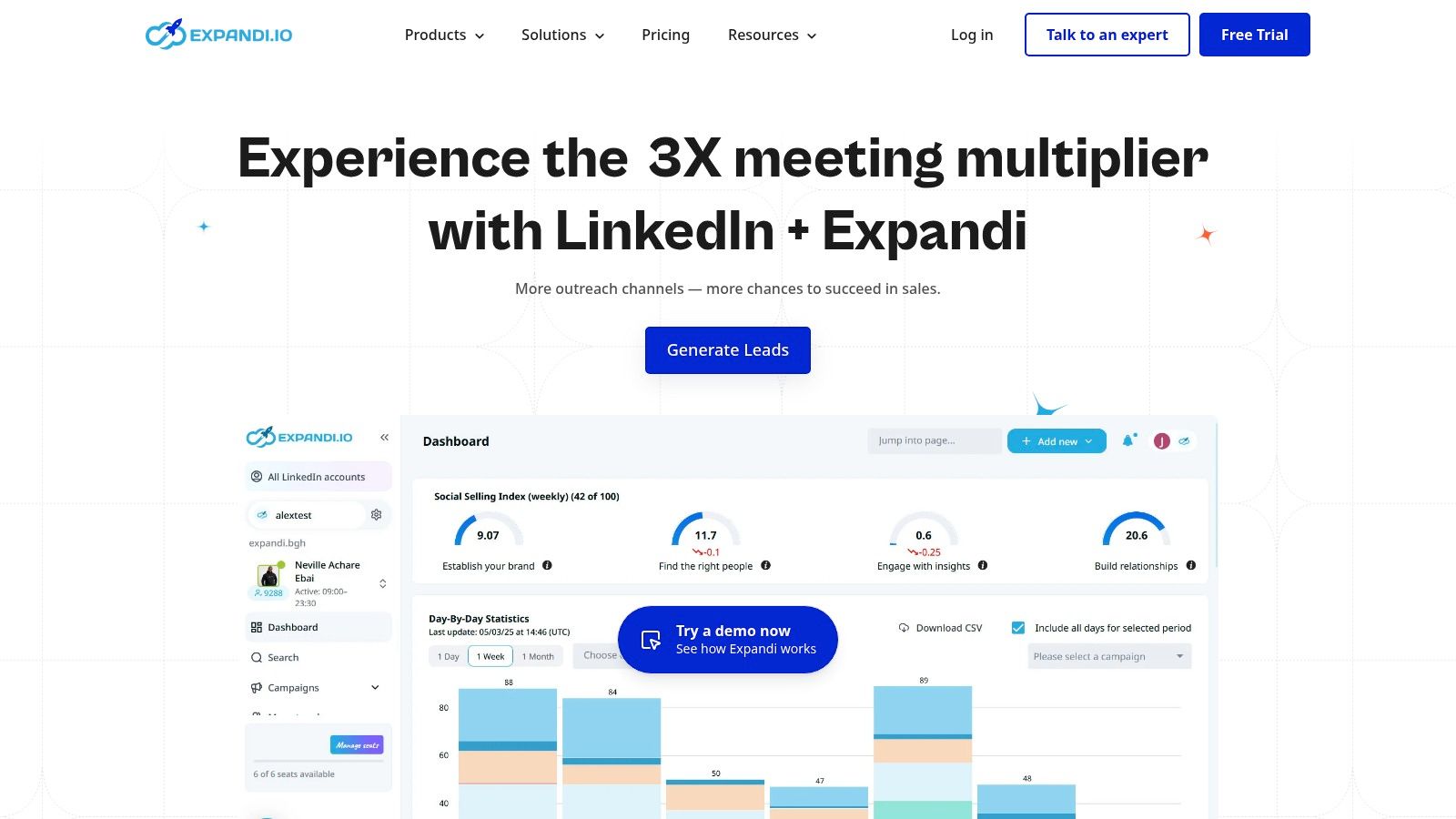
Its primary differentiator is its security-first approach. Expandi assigns a dedicated, country-specific IP address to your account, making its activity appear more natural to LinkedIn's detection algorithms. It also includes smart limits and an automatic warm-up feature that gradually increases your daily actions, mimicking human behavior to reduce the risk of account restrictions.
Best Use Case & Pricing
Expandi is ideal for agencies managing multiple client accounts or small teams looking to scale their outreach safely. The platform’s single, all-inclusive pricing plan simplifies budgeting.
- Best For: Agencies, sales teams, and solo founders prioritizing safety and scalability.
- Pricing: A straightforward plan at $99 per seat/month, which includes all features.
- Quick Start Tip: Upon setup, let the account warm-up feature run its full course for 7-10 days before launching a full-scale campaign. This patience is crucial for establishing a safe activity baseline with LinkedIn.
Our Take: For those who can afford the premium, Expandi provides peace of mind. Its focus on mimicking human behavior through smart limits and dedicated IPs makes it a top choice for protecting your valuable LinkedIn account while scaling your outreach efforts. Learn more about how Expandi fits into powerful LinkedIn lead generation strategies.
Website: https://expandi.io
2. Dripify
Dripify positions itself as one of the best LinkedIn automation tools by focusing on creating sophisticated, multi-step sequences known as drip campaigns. This cloud-based platform is designed for users who want to build and automate outreach flows with multiple touchpoints, combining LinkedIn actions with basic email follow-ups. It runs 24/7, ensuring your campaigns are always active without needing your computer online.
The platform’s core strength lies in its visual campaign builder, which allows you to map out sequences with specific delays and conditions. For example, you can automatically send a connection request, wait three days, endorse a skill if they accept, and then send a follow-up message. Dripify also provides a dedicated safety system that manages daily activity limits to reduce the risk of your LinkedIn account being flagged, though like any automation, it is not entirely without risk.
Best Use Case & Pricing
Dripify is an excellent choice for solo users and growing teams who need structured, set-and-forget LinkedIn campaigns with clear performance analytics. Its tiered pricing model allows users to scale features as their needs evolve, from basic automation to full team management.
- Best For: Sales professionals, recruiters, and marketers wanting to build multi-step outreach sequences.
- Pricing: Starts at $59/month for the Basic plan, $79/month for Pro, and $99/month for the Advanced plan, with annual discounts available.
- Quick Start Tip: Use their pre-built campaign templates as a starting point. Modify the copy to fit your voice, but keep the proven sequence structure to get your first campaign running quickly and effectively.
Our Take: Dripify strikes a great balance between functionality and ease of use. Its visual campaign builder makes complex sequencing accessible, and the tiered pricing makes it a scalable option for users who are just starting with automation and plan to grow.
Website: https://dripify.com
3. Dux-Soup
Dux-Soup is one of the most established names in LinkedIn automation, offering a flexible approach that caters to a wide range of users. It primarily operates as a Chrome extension, but its Turbo and Cloud plans provide cloud-based functionality, allowing campaigns to run 24/7. This hybrid model makes it a versatile choice for those who might want to start with a simpler, browser-based tool and later upgrade to a more robust, always-on system.
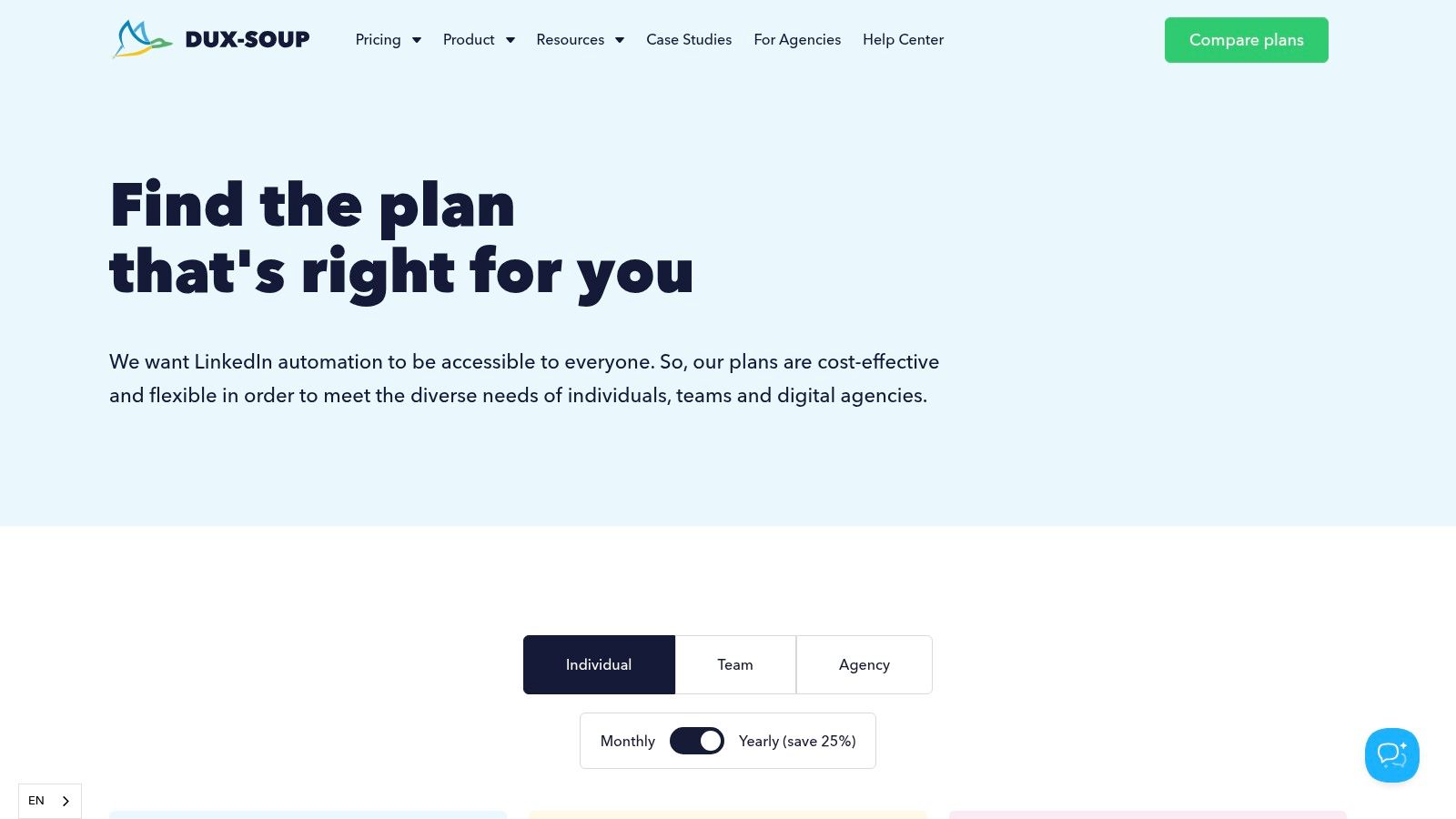
The platform stands out for its deep integration capabilities. Dux-Soup connects directly with popular CRMs like HubSpot and Pipedrive and offers extensive webhook support for tools like Zapier and Make. This allows sales and marketing teams to seamlessly funnel leads from LinkedIn into their existing workflows, making it one of the best linkedin automation tools for process-oriented teams. Its tiered structure provides clear upgrade paths as your needs evolve.
Best Use Case & Pricing
Dux-Soup is an excellent fit for solo founders starting with automation or for teams needing strong CRM and webhook integrations to build a connected sales pipeline. Its flexible pricing accommodates different budgets and levels of sophistication.
- Best For: Solo entrepreneurs, small sales teams, and tech-savvy marketers needing strong integration capabilities.
- Pricing: Offers multiple tiers, including Pro Dux at $14.99/month, Turbo Dux at $55/month, and Cloud Dux at $99/month.
- Quick Start Tip: Begin with the Pro Dux extension to familiarize yourself with the core features like profile visiting and automated connection requests. Once comfortable, upgrade to Turbo or Cloud to build multi-step drip campaigns and integrate with your CRM.
Our Take: Dux-Soup's longevity and flexibility are its greatest assets. The low-cost entry point is attractive for beginners, while the Cloud version and deep integrations provide a scalable path for advanced users who want to embed LinkedIn outreach directly into their sales and marketing stack.
Website: https://www.dux-soup.com/purchase
4. Linked Helper
Linked Helper takes a different approach from many cloud-based platforms, operating as a desktop application that you install on your computer. This gives users a greater sense of control and privacy, as the automation runs locally. It's one of the longest-standing and best LinkedIn automation tools, known for its extensive feature set that goes beyond simple connection requests.
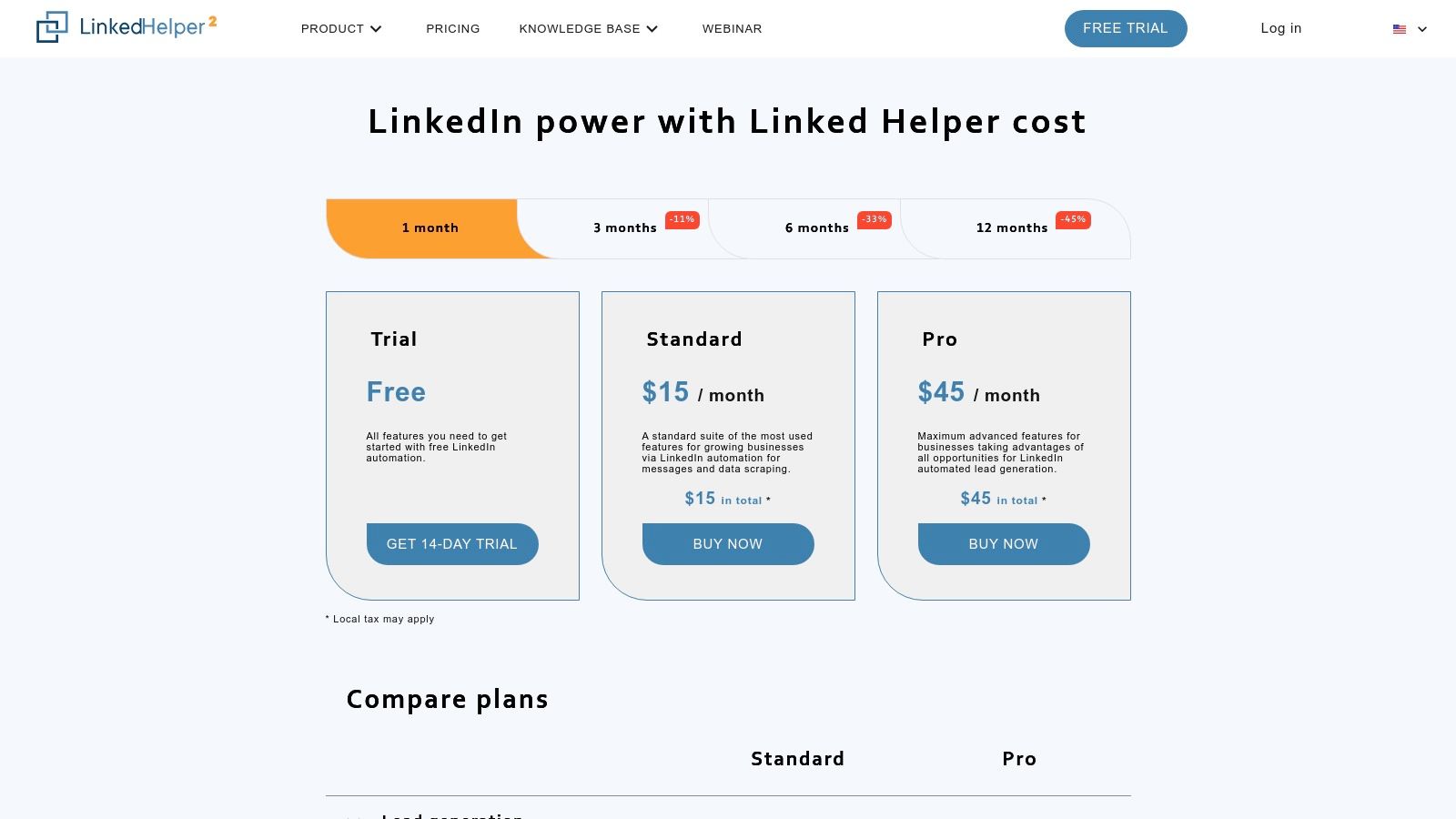
Its primary differentiator is its one-time license model, which contrasts sharply with the recurring monthly subscriptions of most SaaS tools. You purchase access for a set period (1, 3, 6, or 12 months), making it a predictable, often lower-cost investment. The tool is incredibly powerful, with deep functionality for messaging sequences, event invitations, and data scraping, though this power comes with a steeper learning curve compared to more streamlined alternatives.
Best Use Case & Pricing
Linked Helper is ideal for experienced solo founders and power users who are comfortable with a more hands-on, technical tool and prefer a non-recurring payment model. Its robust campaign builder allows for complex, multi-step outreach sequences.
- Best For: Technically-inclined users, budget-conscious founders, and those wanting deep control over automation workflows.
- Pricing: Licenses start at $15/month for the Standard plan (paid monthly), with significant discounts for longer-term purchases (e.g., a 12-month license costs $99, or $8.25/month).
- Quick Start Tip: Start by using the "Visit & Extract Profiles" action on a LinkedIn search result. This simple first step helps you gather a targeted list and familiarize yourself with how the tool queues and processes actions before building a complex messaging campaign.
Our Take: For those willing to navigate its complex interface, Linked Helper offers unparalleled power at an unbeatable price point. The desktop application gives you full control, but it also means your computer must be running for campaigns to execute. It's a trade-off between convenience and cost-effectiveness.
Website: https://www.linkedhelper.com/pricing.html
5. Zopto
Zopto positions itself as a premium, cloud-based prospecting platform designed primarily for agencies and sales teams that require robust multi-account management. It extends beyond simple LinkedIn automation, offering an omni-channel approach that integrates email outreach into its smart sequences. This allows for more complex and resilient follow-up campaigns that aren’t solely dependent on LinkedIn.
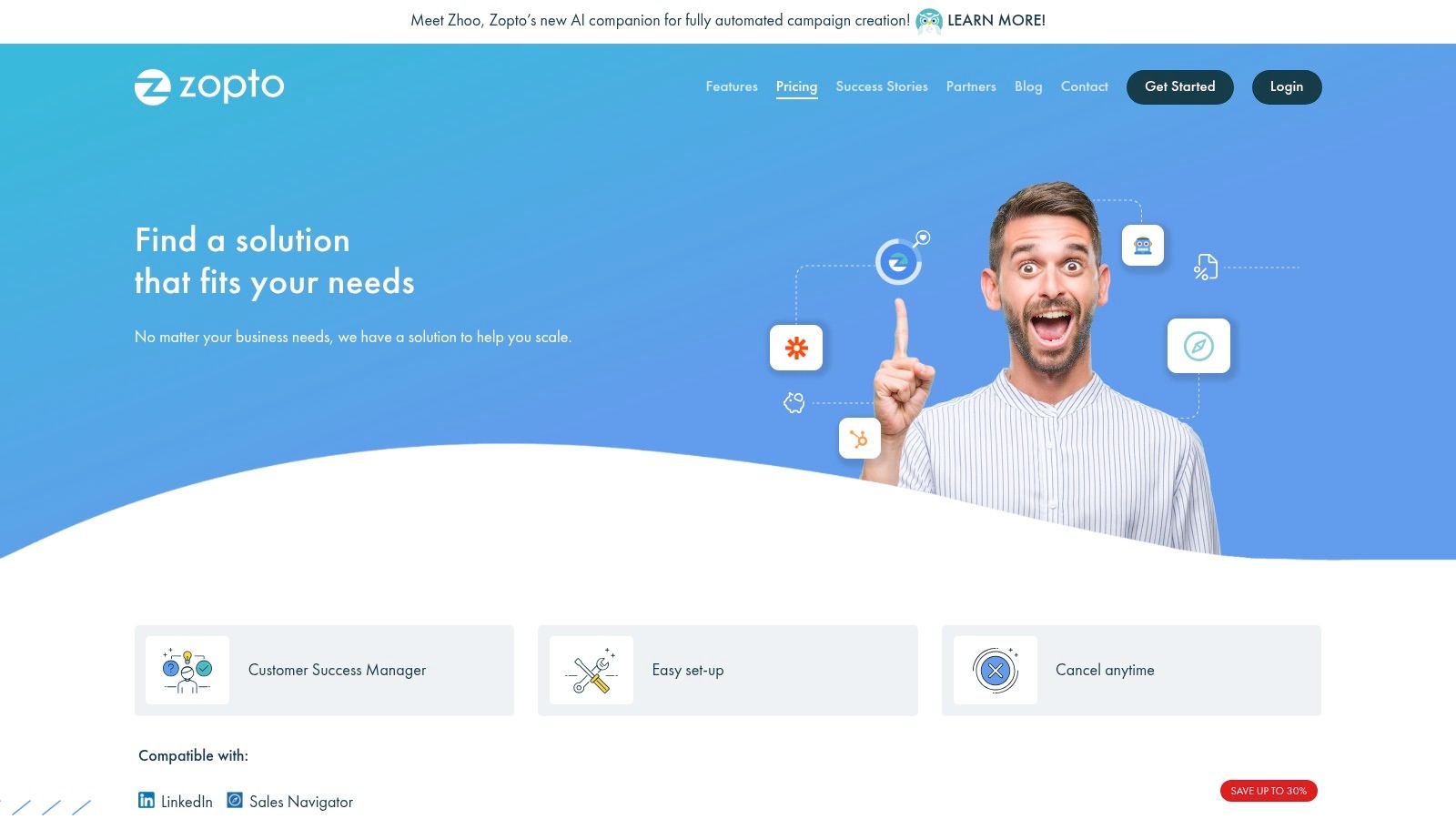
The platform’s strength lies in its agency-centric features. It provides a centralized dashboard for overseeing multiple client accounts, optional white-label capabilities for branded reporting, and volume-based pricing. A dedicated success manager is also included, providing a level of support that solo-focused tools often lack, making it one of the best LinkedIn automation tools for teams managing high-volume outreach.
Best Use Case & Pricing
Zopto is the ideal solution for marketing agencies or larger sales teams that need to manage multiple LinkedIn profiles from a single, unified interface. Its higher price point reflects its focus on providing a comprehensive, supported service rather than just a self-serve tool.
- Best For: Agencies and sales teams needing centralized multi-account management and white-label options.
- Pricing: Starts at $157 per account/month, with custom pricing available for agencies and teams requiring more volume.
- Quick Start Tip: Leverage the dedicated success manager from day one. Schedule a call to map out your campaign strategy and have them review your AI-generated templates to ensure they align with your brand voice and goals before launch.
Our Take: Zopto is an investment in a managed service, not just a tool. For agencies juggling multiple clients, the time saved through its centralized dashboard, white-label reporting, and dedicated support can easily justify the premium price. It’s overkill for a solo founder but a powerhouse for a growing team.
Website: https://zopto.com/pricing/
6. Octopus CRM
Octopus CRM enters the market as one of the most budget-friendly and straightforward of the best LinkedIn automation tools, designed as a Chrome extension. It combines core automation features with a lightweight, built-in CRM, making it an excellent starting point for solo users and freelancers who want to test basic LinkedIn outreach without a significant financial commitment.
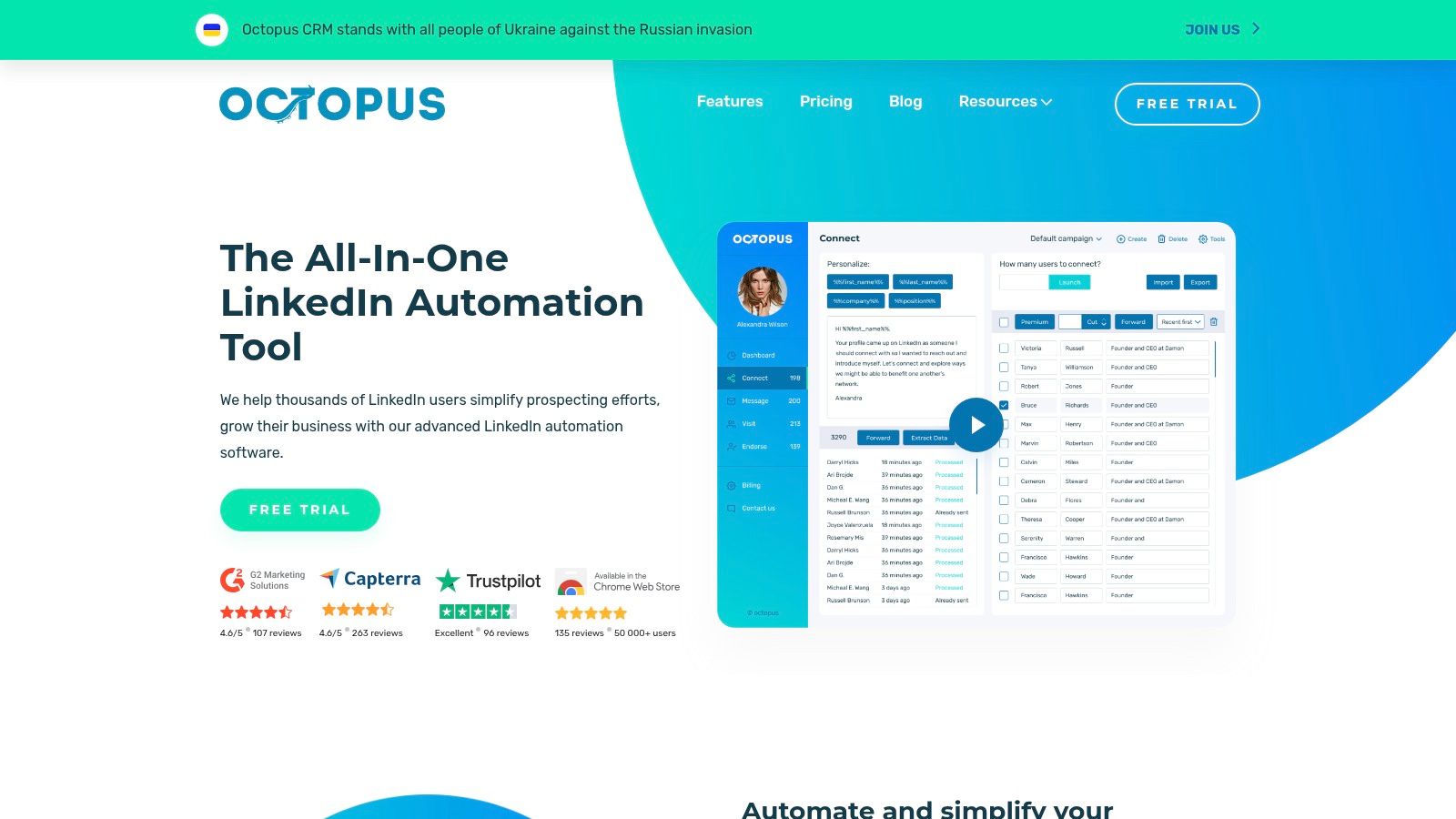
Its main appeal is simplicity. Octopus CRM allows you to automate connection requests, send bulk messages to first-degree connections, and automatically endorse skills or view profiles to get noticed. The platform also includes a simple funnel builder, enabling you to move prospects through basic stages like "Invited," "Accepted," and "Replied," directly within its dashboard. While it lacks the advanced safety features of cloud-based tools, its accessibility is unmatched.
Best Use Case & Pricing
Octopus CRM is perfect for individuals just beginning with LinkedIn automation or those with very limited budgets who need to cover the essentials. Its tiered pricing makes it easy to scale up features as needed.
- Best For: Solo founders, freelancers, and small business owners testing the waters of LinkedIn automation.
- Pricing: Starts at $9.99/month for the Starter plan, with more advanced plans at $14.99, $24.99, and $39.99 per month. A free trial is available for all tiers.
- Quick Start Tip: Use the "Transfer profile" feature to import up to 1,000 LinkedIn contacts at once into a campaign. Start with a simple "auto-view profile" campaign to warm up your activity before sending connection requests.
Our Take: Octopus CRM is the go-to for low-cost, no-frills automation. While its browser-based nature carries a slightly higher risk and it misses advanced analytics, its value proposition for basic prospecting tasks is hard to beat. It’s an ideal tool for proving the concept of automated outreach before investing in a more robust platform.
Website: https://octopuscrm.io
7. Meet Alfred
Meet Alfred positions itself as more than just a LinkedIn tool; it's a multi-channel campaign manager designed for teams that want to diversify their outreach. It allows users to build sequences that combine actions across LinkedIn, Email, and X (formerly Twitter), creating a more holistic and persistent prospecting strategy that doesn't rely solely on one platform. This makes it one of the more versatile, if complex, of the best LinkedIn automation tools available.
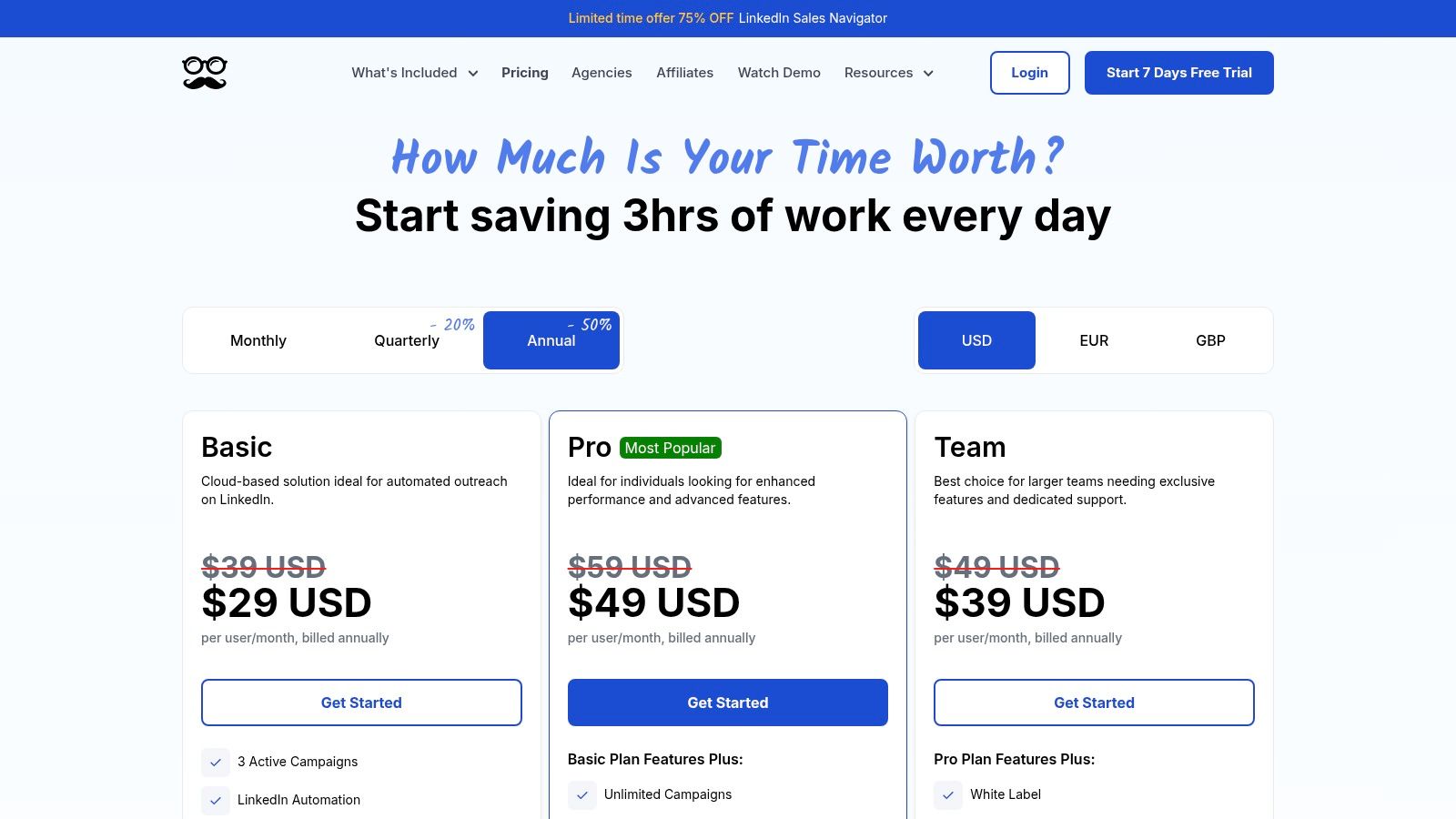
Its core strength lies in its ability to manage and automate conversations across these different channels from a single dashboard. Features like a built-in LinkedIn CRM, team collaboration inboxes, and social media post scheduling make it a powerful hub for a small sales or marketing team. It also supports InMail, Group, and Event automation, covering a wide range of LinkedIn's engagement features.
Best Use Case & Pricing
Meet Alfred is best suited for small teams who are already comfortable with multi-channel outreach and need a single platform to orchestrate their LinkedIn, email, and social media efforts. Its aggressive annual discounts make it a cost-effective choice for those committing long-term.
- Best For: Sales and marketing teams looking for an all-in-one, multi-channel outreach solution.
- Pricing: Starts at $59/month for the Personal plan, $99/month for Business, and $199/month for Enterprise, with significant discounts for annual billing.
- Quick Start Tip: Begin with a simple two-channel campaign (LinkedIn + Email) to get comfortable with the sequence builder. Use Zapier or CSV uploads to connect your existing contact lists for a faster launch.
Our Take: Meet Alfred is for the team that thinks beyond the LinkedIn inbox. While its interface can feel dense for a newcomer, its power to combine social selling with email marketing and social posting in one automated flow is a significant advantage for sophisticated outreach campaigns. To see how it compares to other platforms, learn more about Meet Alfred's place in the market.
Website: https://meetalfred.com/pricing
8. PhantomBuster
PhantomBuster operates less as a dedicated LinkedIn tool and more as a general-purpose automation and data extraction platform. It offers a vast library of over 100 pre-built automations, called "Phantoms," that can scrape profiles, auto-connect, send messages, and sync data with CRMs. This makes it one of the most versatile and powerful, albeit complex, best LinkedIn automation tools available.
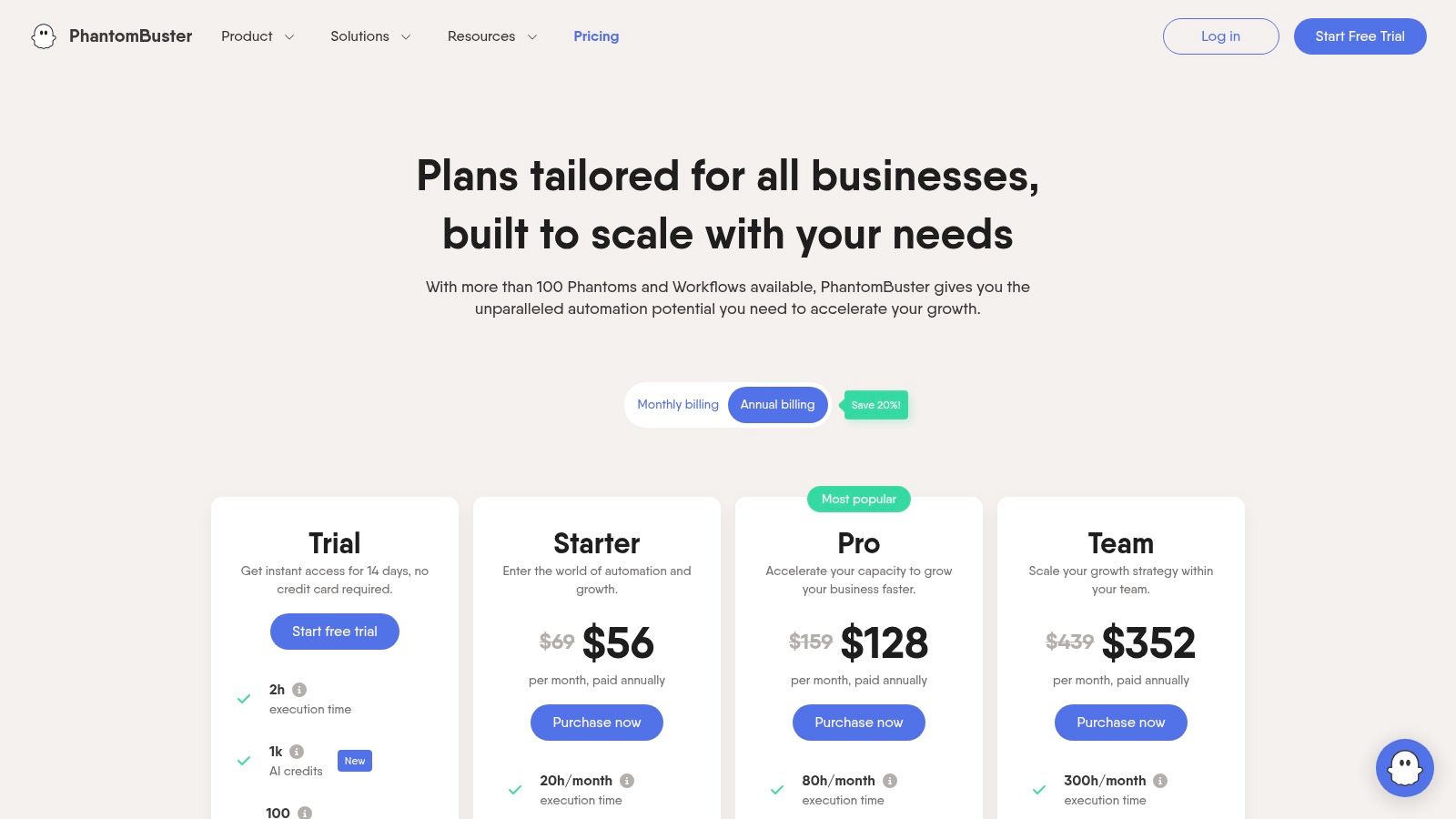
Its key differentiator is its workspace-based pricing model. Instead of charging per seat, plans are based on usage metrics like execution time and the number of "Phantoms" you can run simultaneously. This approach can be incredibly cost-effective for teams, as it avoids the per-user inflation common with other platforms. However, its powerful scraping capabilities come with a higher risk of violating LinkedIn's terms of service if not used cautiously.
Best Use Case & Pricing
PhantomBuster is ideal for tech-savvy marketers and teams who need to build custom, multi-step workflows for data extraction and outreach. It’s perfect for enriching CRM data or building complex lead generation funnels.
- Best For: Teams needing flexible, usage-based pricing and a wide range of automation capabilities beyond simple outreach.
- Pricing: Starts with a free trial, with paid plans from $69/month based on execution hours and automation slots.
- Quick Start Tip: Start with a simple "LinkedIn Profile Scraper" Phantom on a small list of 10-20 profiles to understand how inputs and outputs work before building a multi-step workflow. Always use the recommended rate limits.
Our Take: PhantomBuster is a power-user's dream, offering unmatched flexibility for data extraction and workflow creation. While its usage-based pricing is great for scaling teams, the increased power requires greater responsibility to avoid putting your LinkedIn account at risk. You can explore our in-depth guide on automating prospecting with PhantomBuster and Apollo.io.
Website: https://phantombuster.com/pricing
9. Waalaxy
Waalaxy enters the market as an accessible, LinkedIn-first outreach platform notable for its freemium plan and user-friendly, pre-built campaign sequences. It’s designed as a Chrome extension, making it easy to import leads directly from LinkedIn searches into your campaigns. This approach lowers the barrier to entry for solo founders and small teams just starting with automation.
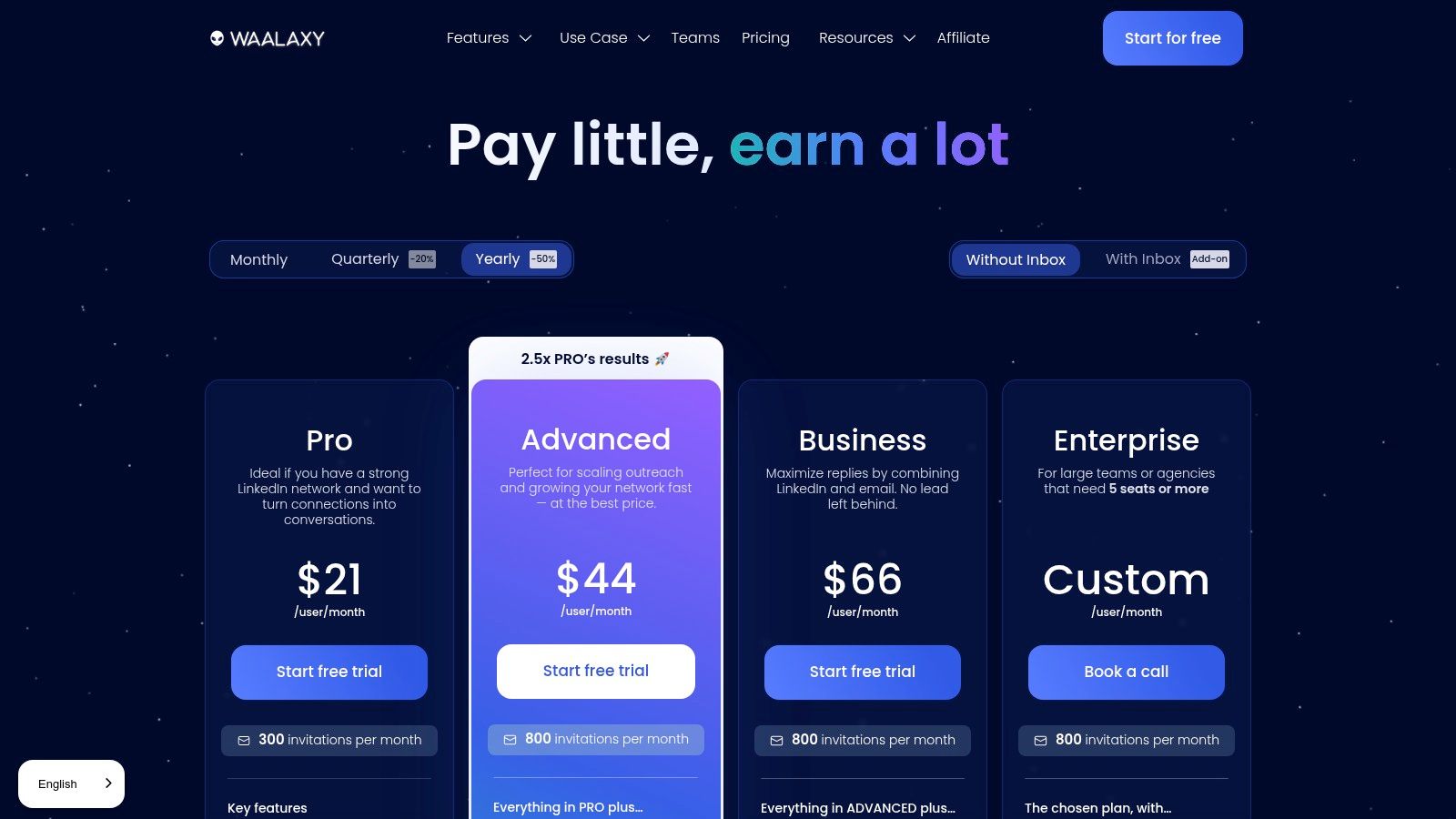
Its main appeal lies in its simplicity and affordability. For those looking to combine LinkedIn actions with cold email, Waalaxy's Business plan integrates both channels into a single, unified sequence. This multichannel capability, combined with features like automated follow-ups and reply detection, provides a powerful yet straightforward tool for managing outreach without a steep learning curve or significant upfront investment.
Best Use Case & Pricing
Waalaxy is a strong choice for individuals and small teams who need a low-cost, easy-to-use solution that combines LinkedIn and email outreach. Its freemium model is perfect for testing the waters of automation.
- Best For: Solo founders, freelancers, and small teams looking for a free or affordable entry into multichannel outreach.
- Pricing: Starts with a Freemium plan. Paid plans are €56/month (Pro) for LinkedIn automation and €80/month (Business) to add cold email features. Note that pricing is in Euros.
- Quick Start Tip: Start with the "Invitation + 2 Messages" sequence. It's a proven, non-aggressive template for connecting with new prospects. Ensure you personalize the first message with the variable to increase acceptance rates.
Our Take: Waalaxy is an excellent starting point for anyone new to lead generation automation. The free plan offers real value, and the upgrade to multichannel outreach is affordably priced, making it one of the best LinkedIn automation tools for users on a tight budget.
Website: https://www.waalaxy.com/pricing
10. We-Connect
We-Connect is a cloud-based LinkedIn automation platform designed for teams and agencies that require robust user management and multichannel outreach capabilities. It streamlines campaign creation by combining LinkedIn actions with email follow-ups, allowing for more comprehensive and persistent lead nurturing sequences, all from a single dashboard. This integration is a key differentiator for users looking to consolidate their outreach tools.
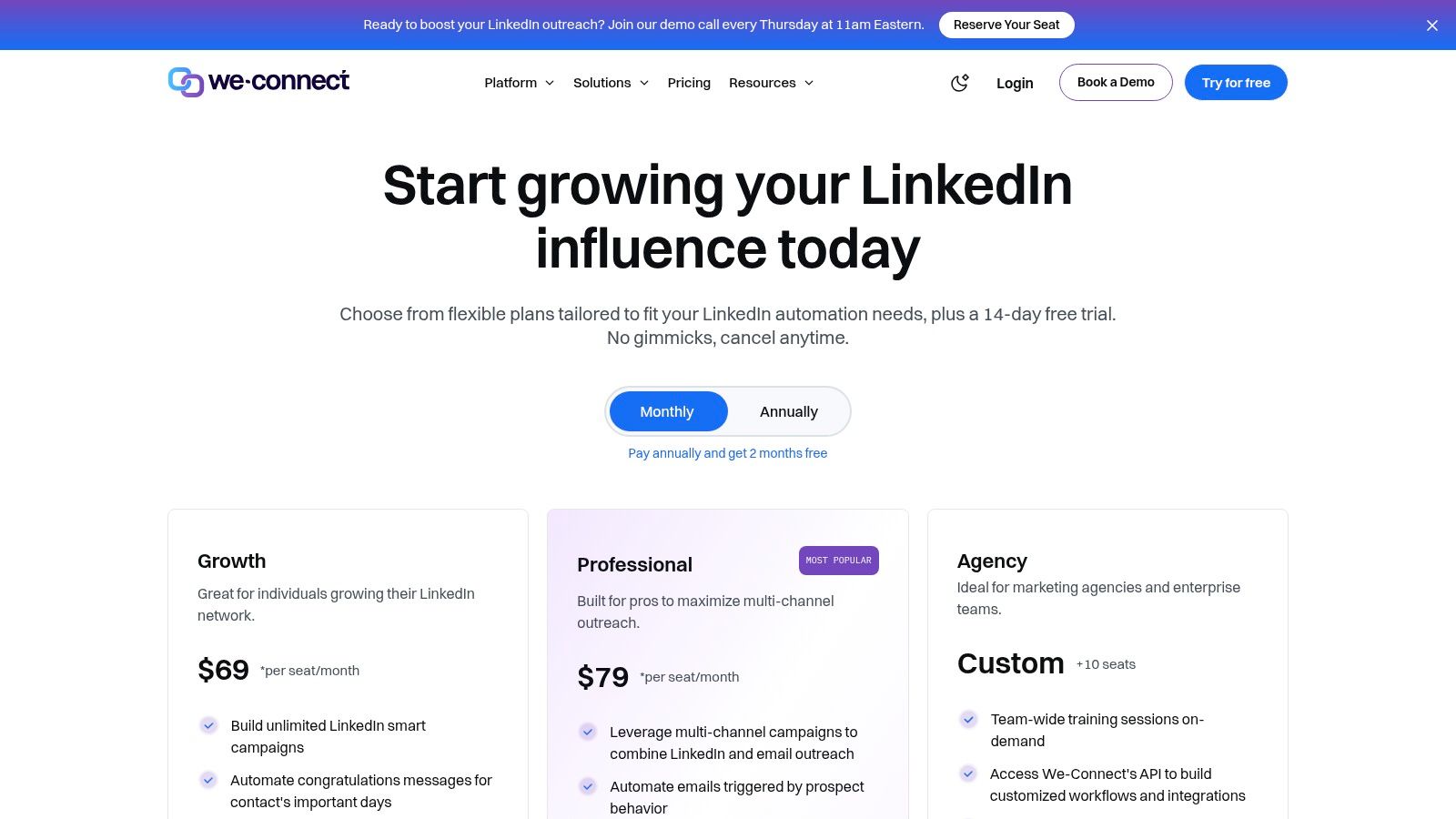
The platform emphasizes team collaboration by offering granular permission controls, which enable managers to assign roles and access levels to different team members. For agencies, higher-tier plans include API access and webhooks, facilitating integration with other sales and marketing software. We-Connect also offers optional AI add-ons for profile optimization and content generation, aiming to be an all-in-one solution for LinkedIn marketing.
Best Use Case & Pricing
We-Connect is best suited for SMB agencies and sales teams that need a centralized platform to manage multiple users and run integrated LinkedIn and email campaigns. Its clear pricing structure and team-focused features provide a scalable solution.
- Best For: Sales teams and small agencies needing team management and multichannel outreach.
- Pricing: Plans start at $49/month, with the Professional plan offering multichannel campaigns at $79/month. A 14-day free trial is available.
- Quick Start Tip: When building your first campaign, map out a sequence that alternates between LinkedIn connection requests, InMails, and email follow-ups to maximize touchpoints without overwhelming your prospects.
Our Take: We-Connect is a strong contender among the best LinkedIn automation tools for teams that value collaboration and multichannel functionality. The API access on higher plans is a significant plus for agencies looking to automate workflows, though the reliance on add-ons for AI features can increase the overall cost.
Website: https://we-connect.io
11. Salesflow
Salesflow is a cloud-based LinkedIn automation platform built for active sales professionals and teams who require more than just basic outreach. It combines standard automation with advanced features like an AI-powered inbox, detailed analytics, and optional agency services, making it a comprehensive solution for managing high-volume prospecting efforts directly within a unified dashboard. The platform is designed to support a more sophisticated sales motion that includes multichannel touchpoints.
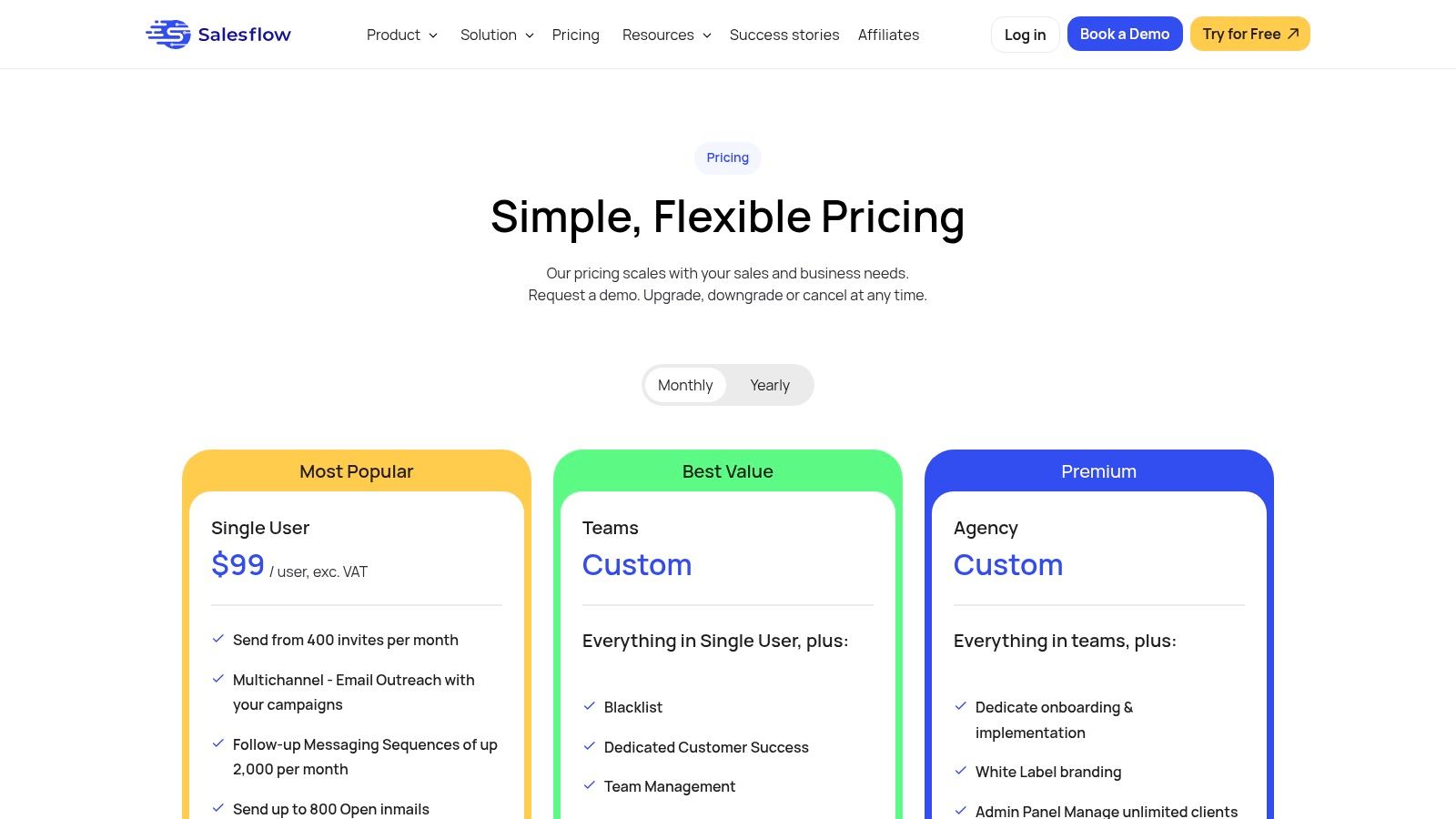
Its key differentiator lies in its team-centric features and support. Salesflow provides robust reporting to track campaign performance and team productivity. The AI-driven inbox helps manage responses at scale by suggesting replies, while optional enablement services like training and copywriting offer valuable support for organizations looking to optimize their entire LinkedIn sales process.
Best Use Case & Pricing
Salesflow is an excellent choice for established sales teams and agencies that need robust tooling, deep reporting, and Sales Navigator integration to manage complex campaigns. The tiered pricing accommodates different levels of outreach intensity.
- Best For: B2B sales teams, lead generation agencies, and active sellers needing advanced inbox management.
- Pricing: Plans start from $99 per user/month, offering core automation features. Higher tiers unlock more advanced capabilities.
- Quick Start Tip: When setting up your first campaign, use the CSV import feature to target a highly specific list of prospects from an external tool like Apollo. This allows you to run a hyper-personalized campaign from day one.
Our Take: Salesflow goes beyond simple automation, positioning itself as a sales enablement platform. For teams that live in their LinkedIn inbox and rely on detailed metrics to hit quotas, the additional cost is justified by the advanced inbox tools and rich analytics.
Website: https://salesflow.io/pricing
12. GetProspect
GetProspect is not a full-suite LinkedIn automation tool, but rather a powerful data enrichment and email-finding specialist. It operates primarily through a Chrome extension that allows you to extract verified professional email addresses and other contact data directly from LinkedIn profiles, search results, or Sales Navigator lists. This makes it an essential complementary tool for any outreach stack.
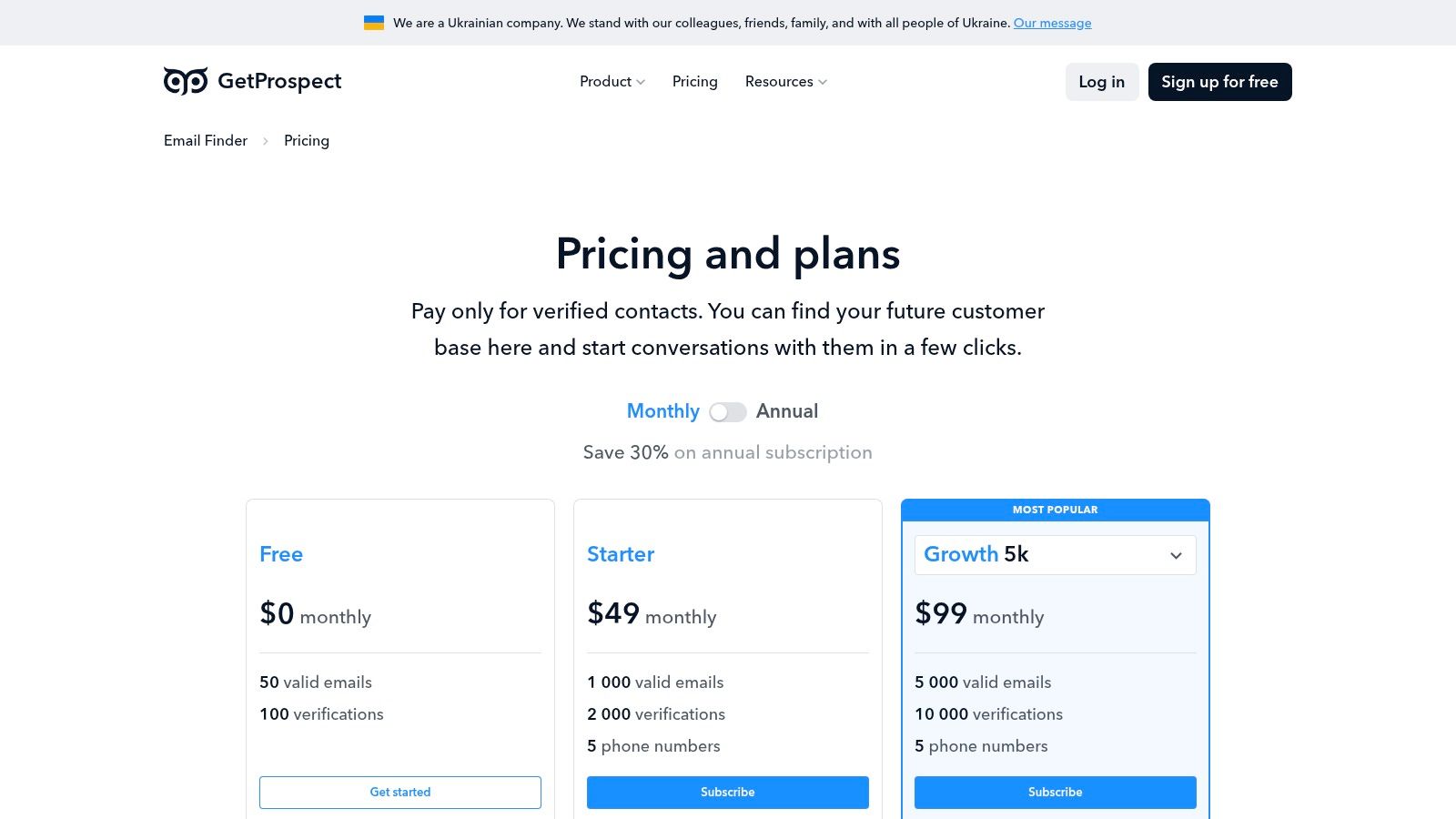
Its core function is to build clean, accurate contact lists that you can then feed into a dedicated outreach platform like Lemlist. Instead of automating actions on LinkedIn, GetProspect focuses on extracting high-quality, off-platform contact information. This separation of tasks can be a safer approach, as aggressive data scraping is a behavior LinkedIn’s algorithms actively monitor.
Best Use Case & Pricing
GetProspect is ideal for sales and marketing professionals who need to build highly targeted email lists from LinkedIn for cold outreach campaigns. Its free plan is also a great starting point for solo founders testing the waters of email prospecting.
- Best For: Building verified email lists for multi-channel outreach campaigns.
- Pricing: Offers a Free plan with 50 valid emails per month. Paid plans start at $49/month for 1,000 emails, with unused credits rolling over on Growth plans.
- Quick Start Tip: Use the Chrome extension on LinkedIn search results pages to bulk-save prospects to a list. Once your list is built, export the CSV and upload it to your preferred cold email tool to begin your outreach.
Our Take: While not a direct LinkedIn automation platform, GetProspect is a critical piece of the puzzle for a successful outreach strategy. Its strength lies in providing the verified email addresses that make multi-channel sequences possible, moving conversations off LinkedIn and into the inbox.
Website: https://getprospect.com
Top 12 LinkedIn Automation Tools Comparison
| Tool | Core features | Safety & UX | Best for / USP | Price & trial |
|---|---|---|---|---|
| Expandi | Cloud LinkedIn automation, smart limits & warm-up, dedicated IP, multi-account | Built-in safety tooling; agency multi-account UX | Agencies / seat-based teams; dedicated IP & safety focus | Single full-feature plan; per-account pricing; trial not listed |
| Dripify | Multi-step LinkedIn drip campaigns, templates, basic email sequencing, analytics | Clear tiering, onboarding & support; protection limited | Solo→teams who want templated, trackable sequences | Tiered pricing; annual discounts; higher tiers enable inbox/webhooks |
| Dux‑Soup | Pro/Turbo/Cloud tiers, drip campaigns, CRM (HubSpot/Pipedrive), Zapier/Make | Choice of Chrome extension or cloud; competitive Pro entry | Users who want flexible deployment or strong CRM hooks | Competitive entry pricing for Pro; cloud paid option |
| Linked Helper | Desktop app, license model (1/3/6/12 mo), extensive automation actions | Low entry price; offline control; steeper learning curve | Users who prefer desktop/offline control and low upfront cost | License pricing (short-term options); low entry cost |
| Zopto | Omni-channel sequences (LinkedIn + email), AI templates, scheduler, agency dashboard | Centralized dashboards, success manager, white‑label support | Agencies and high-volume teams needing centralized ops | Higher entry price; agency/volume pricing |
| Octopus CRM | Auto-invites, bulk messaging, profile views, lightweight CRM, funnel builder | Simple UI; browser-extension model increases ToS risk | Budget-conscious solos testing core automations | Low monthly pricing; free trial on all tiers |
| Meet Alfred | Multi-channel sequences (LinkedIn, X, Email), post scheduling, team inbox | Broad channel mix, team features, docs; pricing slightly complex | Teams wanting multichannel outreach + social posting | Tiered pricing; aggressive annual discounts |
| PhantomBuster | 100+ prebuilt "Phantoms", workflow builder, CSV/JSON export, API | Workspace pricing (hours/slots); strong docs; usage complexity | Teams needing wide automation library without per-seat fees | Usage-based billing; 14-day free trial |
| Waalaxy | Prebuilt campaigns, automated follow-ups, CRM sync, Inbox add-on, freemium | Freemium entry; affordable Pro (EUR); simple UX | Individuals wanting low-cost LinkedIn+email start | Freemium + paid tiers (pricing in EUR) |
| We‑Connect | Unlimited campaigns, team permissions, API/webhooks, AI Profile Optimizer | Clear pricing; good team controls; add-ons raise cost | SMB agencies needing team controls and integrations | Competitive plans; 14-day free trial; add-ons extra |
| Salesflow | From ~400 invites/mo, follow-ups, AI inbox, reporting, Sales Navigator support | Rich reporting & inbox tooling; agency enablement services | Active sellers and teams needing reporting & training | Tiered pricing; VAT/ex‑US notes may apply |
| GetProspect | Chrome extension to find/enrich emails, CSV export, API, rolling credits | Free plan (50 emails); reliable verified emails for lists | Data enrichment paired with outreach platforms | Free tier + paid credit plans; team credit sharing |
Final Thoughts
Navigating the landscape of LinkedIn automation can feel like a high-stakes game. You’ve now explored twelve of the best LinkedIn automation tools available, from robust, all-in-one platforms like Expandi and Dux-Soup to more specialized solutions like PhantomBuster and Octopus CRM. The key takeaway isn't that one tool is definitively superior to all others; it's that the right tool is the one that aligns perfectly with your specific business goals, operational capacity, and ethical comfort level.
For solo founders and tiny teams, the choice often boils down to a critical trade-off between time, budget, and safety. A tool with advanced safety features and human-like behavior simulation might come with a higher price tag, but it significantly reduces the risk to your account’s standing. Conversely, a more budget-friendly option may require more manual oversight and a conservative approach to campaign settings.
Choosing Your Path: A Quick Recap
Before you make your final decision, revisit these core considerations we've discussed:
- Cloud-Based vs. Browser Extension: Do you need your campaigns running 24/7 from a dedicated IP address (cloud-based), or are you comfortable with automation that only runs when your computer is on (browser extension)? For "set it and forget it" reliability, cloud-based tools are typically the winner.
- Safety and Humanization: Prioritize tools that offer randomized delays, connection request limits, and smart scheduling. Your goal is to mimic human behavior, not to operate like a relentless bot. Ignoring this is the fastest way to get your account restricted.
- Integration and Workflow: How will this tool fit into your existing tech stack? Look for native integrations with your CRM or outreach tools, or at the very least, robust Zapier or webhook support. A tool that creates data silos is a tool that creates more work.
- Ease of Use vs. Power: Are you looking for a simple, intuitive interface to launch a basic campaign in 30 minutes? Or do you need granular control over complex, multi-step sequences with conditional logic? Be honest about your technical skills and the time you're willing to invest in learning a new platform.
Your Actionable Next Steps
Feeling overwhelmed by the options? Don't be. Here’s how to move forward with confidence:
- Define Your Primary Goal: Are you trying to book sales calls, drive traffic to a webinar, or simply build a high-quality network? Your objective will dictate the features you need.
- Set a Realistic Budget: Determine what you can comfortably invest per month. Remember to factor in the value of your time that these tools will save.
- Shortlist 2-3 Tools: Based on this guide, select the top contenders that fit your goal and budget.
- Start a Free Trial: This is non-negotiable. Spend a week with each shortlisted tool. Test the user interface, run a small-scale test campaign (e.g., connect with 10-15 people), and interact with their customer support. This hands-on experience is the ultimate deciding factor.
Ultimately, LinkedIn automation is a powerful lever for growth, not a magic button. The success of your campaigns will always depend on the strength of your profile, the quality of your targeting, and the authenticity of your messaging. Use these tools to augment your strategy and execute it at scale, not to replace the essential human element of building genuine professional relationships.
If you're looking to explore even more specialized automation and AI-powered solutions that complement these platforms, from content creation to analytics, you may find this comprehensive LinkedIn AI tools directory to be an invaluable next stop. The right technology is out there, and by starting smart and scaling responsibly, you can transform your LinkedIn presence from a passive profile into a predictable engine for new opportunities.