12 Best CRM for Solopreneurs in 2026
The CRMs that actually work when you're the entire sales team, marketing department, and support crew in one.


Finding the best CRM for solopreneurs feels like a monumental task. You're not just a founder; you're the entire sales team, marketing department, and customer support crew rolled into one. Your time is your most valuable asset, and the last thing you need is a complicated, enterprise-level platform that costs a fortune and requires a dedicated administrator to manage. The right CRM should feel like a co-founder, not another item on your to-do list. It needs to simplify your workflow, automate repetitive tasks, and give you a clear, centralized view of every client relationship without a steep learning curve or a hefty price tag.
This guide cuts through the noise. We've gone beyond the marketing copy to give you a ranked shortlist of the top CRMs specifically suited for a business of one. You won't find generic feature lists here. Instead, you'll get an honest assessment of each tool's strengths and limitations, complete with screenshots and direct links, focusing on practical use cases for consultants, creators, and freelancers. We'll show you exactly how to set up your chosen CRM in under an hour, highlighting the key settings and integrations that matter most. Solopreneurs can significantly boost their growth by implementing effective marketing automation strategies, which many of these CRMs offer as a core feature. This listicle is your comprehensive resource for choosing, configuring, and deploying a system that helps you manage leads, close deals, and build lasting customer relationships, all while saving you precious time.
1. HubSpot CRM
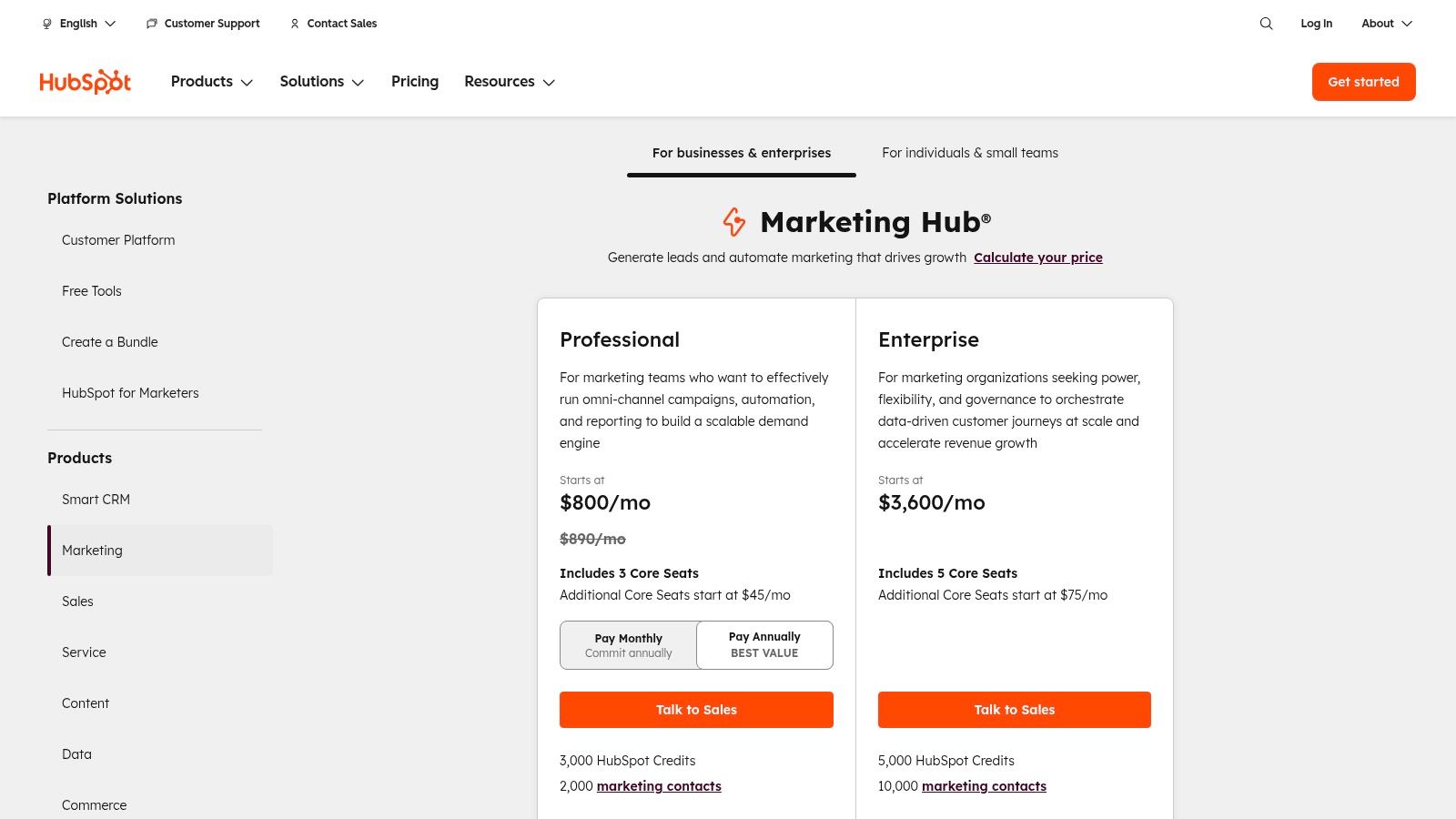
HubSpot earns the top spot because it offers the most comprehensive, scalable, and genuinely free platform for solopreneurs ready to build a professional foundation. It’s an all-in-one system that combines marketing, sales, and customer service tools into a single, unified database. This eliminates the need to juggle multiple, disconnected apps, providing a single source of truth for all your client interactions. For a solo founder who needs to be efficient, this unified view is a game-changer.
The platform's free tier is incredibly generous, including contact management, email marketing, live chat, meeting scheduling, and a landing page builder. This makes it one of the best CRM for solopreneurs to start with, as you can build a powerful system without any initial investment. As your business grows, HubSpot grows with you, offering flexible, seat-based pricing in its Starter plans, so you only pay for what you need.
Why It Stands Out
What truly sets HubSpot apart is its scalability and educational resources. You can start by simply organizing contacts and then layer on more advanced tools like email sequences and ad management as you scale. The vast HubSpot Academy provides free, high-quality training on every aspect of the platform and digital marketing in general. This empowers solopreneurs to not only use the tool effectively but also to become better marketers and salespeople. To see how it fits into a broader strategy, you can explore more about marketing automation for small business on unkoa.com.
Pros & Cons
| Pros | Cons |
|---|---|
| Robust Free Tier: The free tools are powerful enough to run an entire solo business. | Rising Costs: Costs can increase significantly as you add contacts or need premium features. |
| Excellent Scalability: Easily add paid features and seats as your business grows. | Onboarding Fees: Higher-tier plans (Professional/Enterprise) have mandatory, expensive onboarding fees. |
| Deep Integrations: Native connections with Gmail/Outlook and a huge app marketplace. | Complexity: The sheer number of features can feel overwhelming for a brand-new user. |
| Top-Tier Education: HubSpot Academy offers free courses to help you master the platform. | "HubSpot" Branding: Free tools often include HubSpot branding that can only be removed with a paid plan. |
Get started at: HubSpot Pricing
2. Zoho CRM
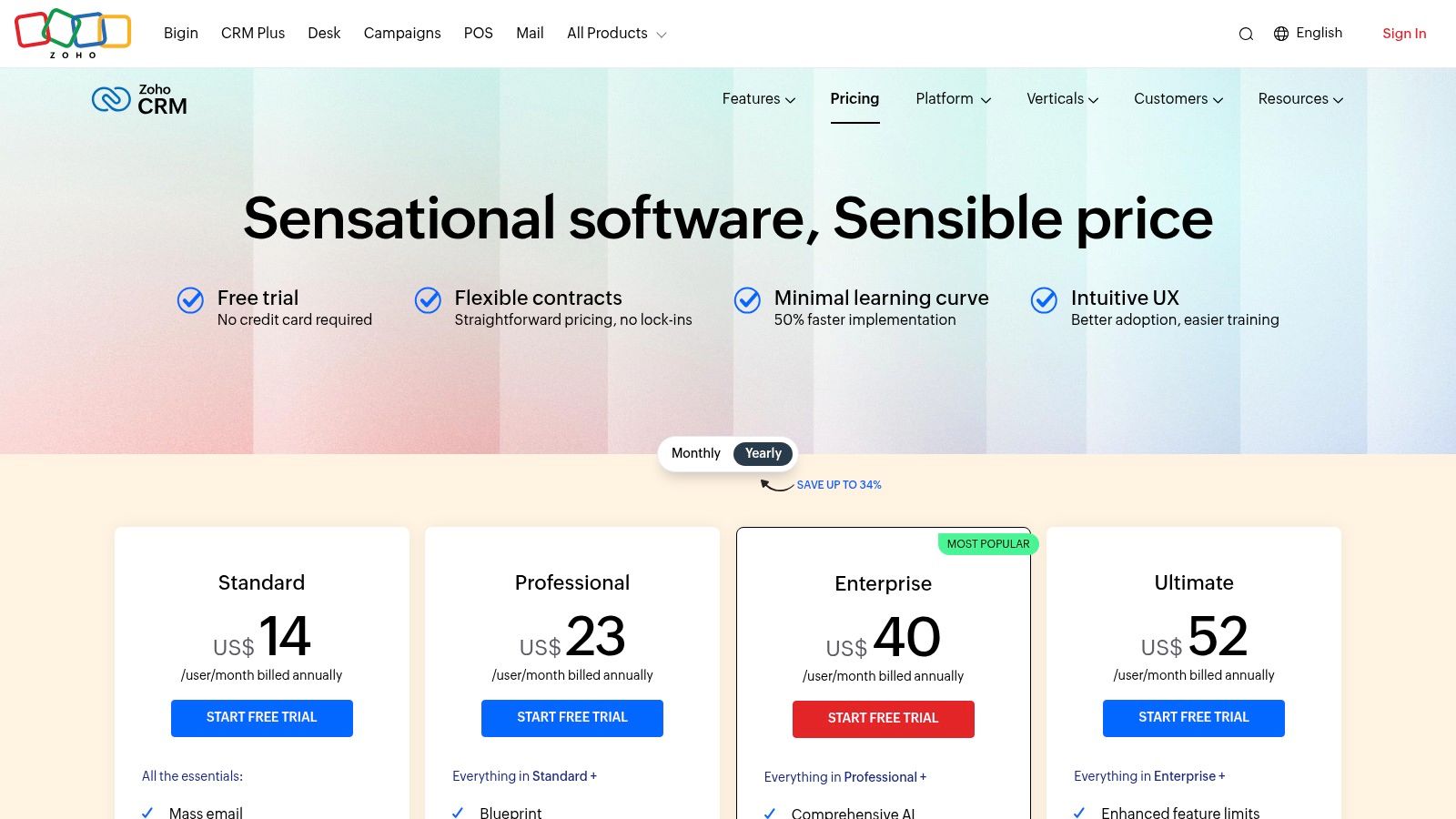
Zoho CRM is a powerhouse for solopreneurs who need a full-featured system without a hefty price tag. It stands out by offering a comprehensive suite of tools within its forever-free plan, which supports up to three users. This makes it an ideal choice for a solo operator who may eventually bring on a virtual assistant or collaborator. The platform provides robust lead, deal, and contact management, allowing you to build and automate a sales pipeline from day one.
The real advantage of Zoho is its place within a massive ecosystem of business apps. As a solopreneur, you can seamlessly integrate your CRM with tools for invoicing (Zoho Books), project management (Zoho Projects), and more, creating a unified operational hub. This integrated approach saves time and reduces the friction of managing multiple, disparate systems, making it one of the best CRM for solopreneurs who plan to scale their operations efficiently.
Why It Stands Out
Zoho CRM's key differentiator is the sheer depth of features and customization available at an exceptionally low price point, including its free tier. While competitors often lock key functionalities like workflow automation behind expensive plans, Zoho makes them accessible far earlier. This empowers solopreneurs to automate repetitive tasks, like follow-up emails or task creation, without an immediate financial commitment. The platform’s analytics and reporting are also surprisingly detailed for the price, providing valuable insights to guide your sales strategy.
Pros & Cons
| Pros | Cons |
|---|---|
| Excellent Value: Unmatched feature depth for the cost, including a generous free plan. | Can Be Overwhelming: The interface and vast number of options can have a steep learning curve. |
| Part of an Ecosystem: Integrates seamlessly with 50+ other Zoho business applications. | Variable Support: Customer support can be inconsistent unless you pay for a premium support plan. |
| Strong Customization: Highly customizable fields, layouts, and modules to fit your unique process. | Tiered Features: Advanced AI and deeper automation are reserved for more expensive plans. |
| Solid Mobile App: Manage your leads, deals, and tasks effectively from anywhere. | Dated UI Elements: Some parts of the interface feel less modern compared to newer competitors. |
Get started at: Zoho CRM Pricing
3. Bigin by Zoho CRM
Bigin by Zoho CRM is designed from the ground up for solopreneurs and small businesses who find traditional CRMs overly complex. It strips away the enterprise-level bloat to focus on a single, critical function: managing your sales pipeline. Its interface is clean, intuitive, and centered around a visual deal pipeline, making it incredibly easy to track leads from initial contact to a closed deal. This simplicity is its greatest strength, allowing a solo founder to get set up and organized in under 30 minutes.
The platform offers a streamlined feature set that includes contact management, telephony, email integration, and no-code web forms to capture leads directly from your site. Bigin also serves as a perfect entry point into the broader Zoho ecosystem. If your business outgrows Bigin, you can migrate all your data to the more powerful Zoho CRM with a single click, ensuring you have a clear and painless upgrade path without losing any historical data.

Why It Stands Out
What makes Bigin one of the best CRM for solopreneurs is its ruthless focus on simplicity and affordability. It doesn’t try to be an all-in-one marketing and service platform; it excels at being a pipeline-centric sales tool. For consultants, freelancers, or any solopreneur whose primary goal is to visualize and manage a sales process, Bigin is ideal. The user experience is beginner-friendly, eliminating the steep learning curve associated with more comprehensive systems. Its seamless integration with the Zoho suite means you can easily add tools like Zoho Books for accounting or Zoho Campaigns for marketing as your needs evolve.
Pros & Cons
| Pros | Cons |
|---|---|
| Extremely User-Friendly: The pipeline-focused UI is intuitive and requires minimal training. | Limited Feature Set: Lacks the advanced marketing and service automation of larger CRMs. |
| Very Affordable: Paid plans are highly competitive, and there is a capable free-forever plan. | Plan-Based Limitations: Key features like custom dashboards are restricted to higher-tier plans. |
| Seamless Zoho Integration: Offers a one-click upgrade path to the full Zoho CRM and ecosystem. | Fewer Third-Party Integrations: The app marketplace is not as extensive as competitors like HubSpot. |
| Quick Setup: You can import contacts and build your pipeline in less than an hour. | Basic Reporting: Analytics are functional but not as deep as more advanced platforms. |
Get started at: Bigin Pricing
4. Pipedrive
Pipedrive is built around one core concept: making sales visual and intuitive. For solopreneurs who manage a clear, stage-based sales process, this platform is a breath of fresh air. It visualizes your sales pipeline as a Kanban-style board, allowing you to drag and drop deals from one stage to the next. This activity-based selling methodology encourages you to focus on the next actions required to move a deal forward, making it one of the best CRM for solopreneurs who thrive on clear, actionable steps.
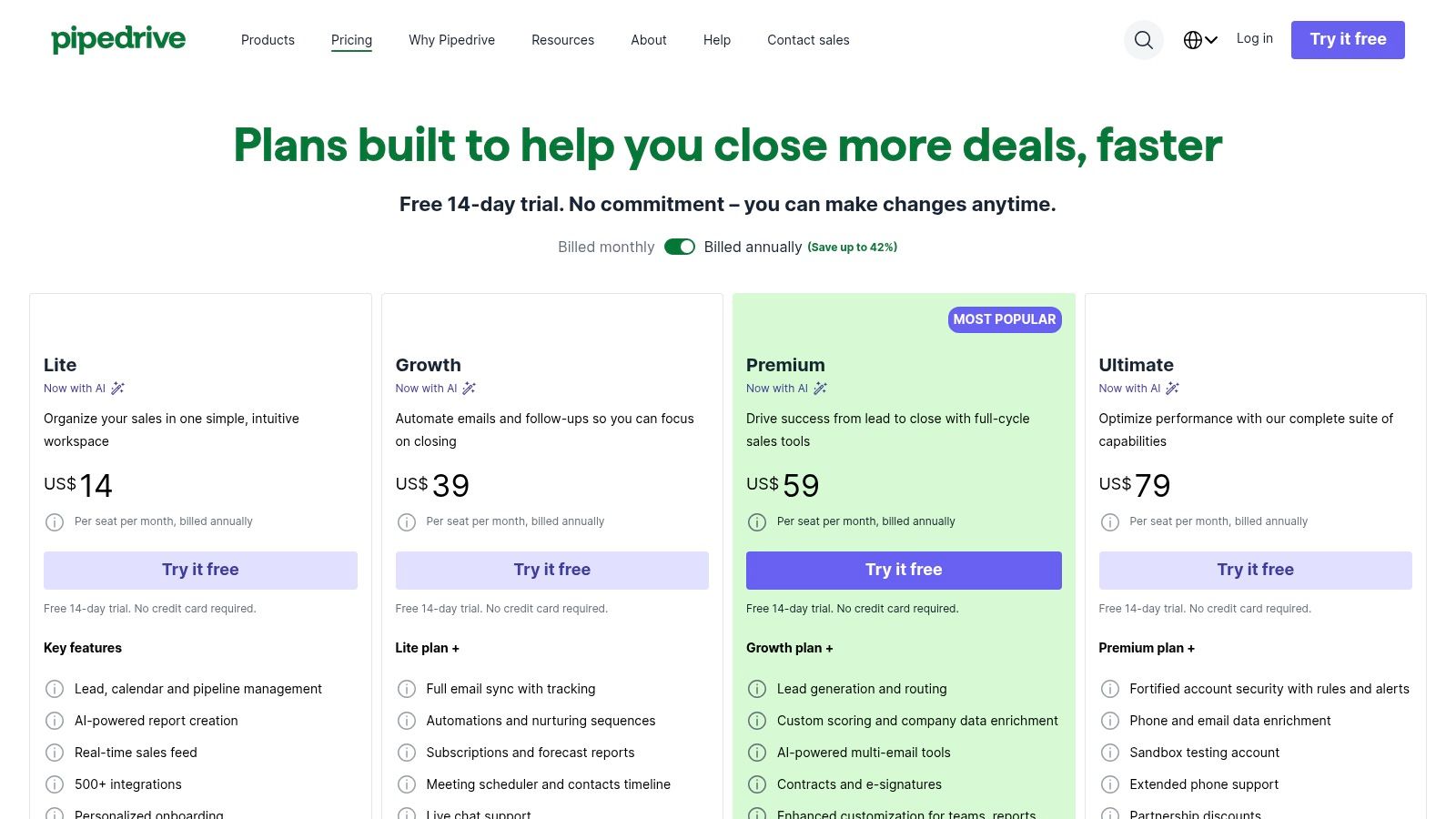
The platform is designed for simplicity and action, stripping away the overwhelming complexity found in some all-in-one systems. Its strength lies in its focused sales features, like email sync, meeting scheduling, and a marketplace with over 500 integrations. While it requires paid add-ons for marketing or project management, this modular approach allows you to build the exact system you need without paying for features you'll never use.
Why It Stands Out
Pipedrive’s main differentiator is its unwavering focus on the sales pipeline. The entire user interface is designed to answer one question: "What do I need to do next to close a deal?" Its AI-powered Sales Assistant suggests your next steps and identifies at-risk deals, acting as a virtual sales manager. This focus makes it incredibly effective for B2B consultants or service providers who need to master their sales process. As you refine your approach, you can see how it fits into a larger strategy when you learn more about how to generate B2B leads on unkoa.com.
Pros & Cons
| Pros | Cons |
|---|---|
| Highly Intuitive Interface: The visual pipeline is easy to learn and use daily. | Cost of Add-ons: Key functions like web forms or email marketing are paid add-ons, increasing the total price. |
| Activity-Based Focus: Promotes a proactive approach to managing deals and client relationships. | Limited Free Tier: No free-forever plan; only a 14-day trial is available. |
| Strong Core Sales Tools: Excellent email sync, scheduling, and deal management features. | Less of an All-in-One: Lacks the built-in marketing and service hubs of competitors. |
| Good Automation in Mid-Tiers: The Advanced plan offers solid workflow automation for the price. | Mobile App Can Be Limited: The mobile experience isn't as robust as the desktop version. |
Get started at: Pipedrive Pricing
5. Freshsales (Freshworks CRM)
Freshsales, now part of the Freshworks CRM suite, secures its spot by offering an exceptional value proposition for solopreneurs who rely on direct communication. It bundles built-in phone, email, and chat capabilities directly into the CRM, eliminating the need for separate, costly tools. For a solo operator managing sales and support, having these communication channels integrated into one system provides immense efficiency and a complete view of every client interaction without toggling between apps.
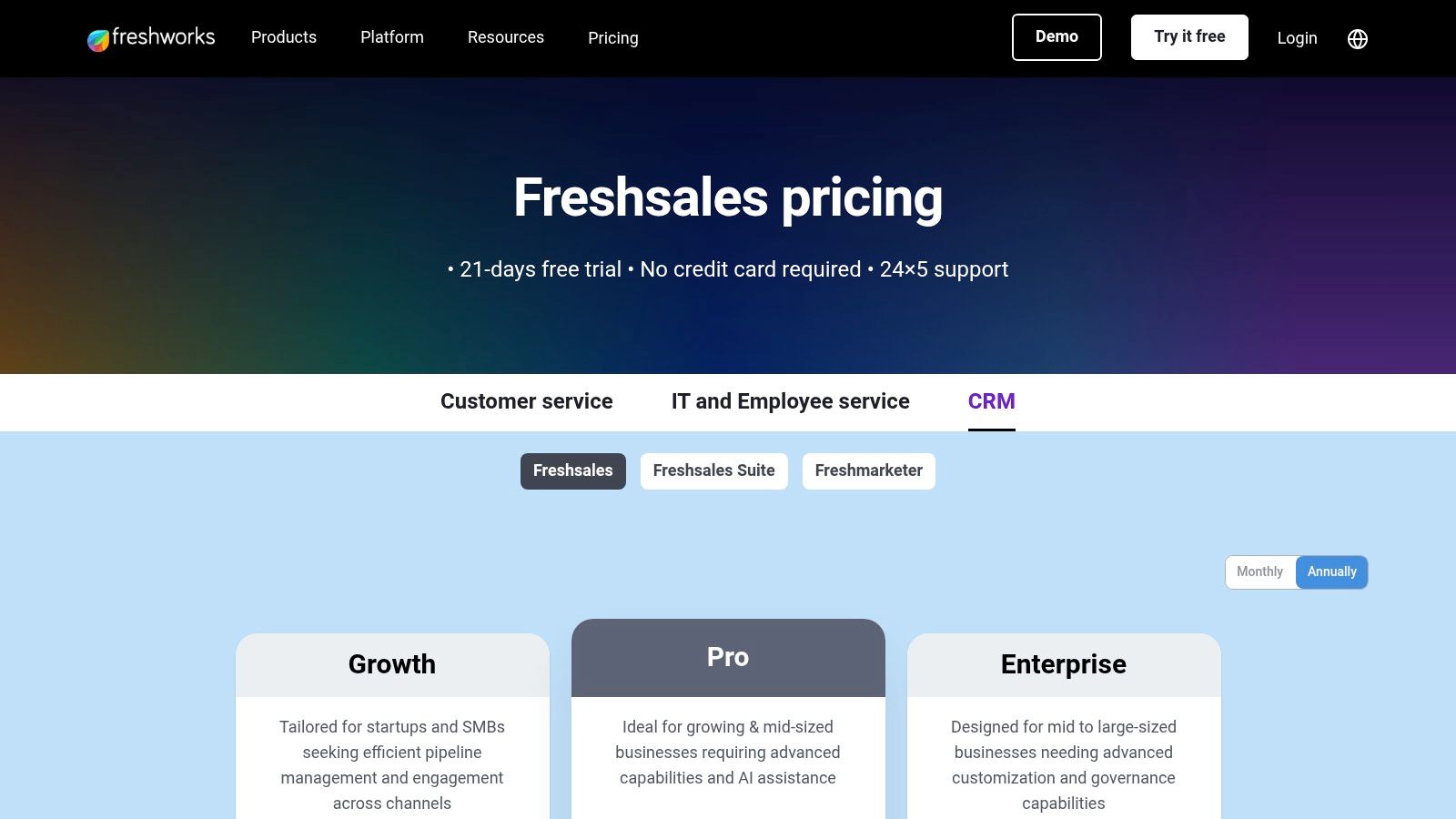
The platform offers a functional free plan to get started, but its real strength lies in its affordable paid tiers. These unlock powerful features like visual sales pipelines using Kanban boards, workflow automations to handle repetitive tasks, and even AI-powered insights to help you prioritize leads. This combination of integrated communication and sales automation makes it one of the best CRM for solopreneurs focused on high-touch, multi-channel sales processes.
Why It Stands Out
What makes Freshsales a standout choice is its focus on consolidating the sales communication stack at a very competitive price. While other CRMs require expensive add-ons or complex integrations for telephony and chat, Freshsales includes them as core features. This is a significant advantage for solopreneurs who need to make calls, send targeted emails, and chat with website visitors without breaking the bank. The interface is clean and intuitive, allowing for quick deployment so you can focus on selling rather than on complex CRM configuration.
Pros & Cons
| Pros | Cons |
|---|---|
| Integrated Communication: Built-in phone, email, and chat tools are included. | Limited Customization: Advanced customization and reporting fall short of enterprise-grade CRMs. |
| Strong Value: The feature-to-price ratio is excellent, especially on paid plans. | Separate Suites: Full marketing automation may require adding the Freshmarketer suite, potentially increasing costs. |
| Easy to Use: A clean user interface and Kanban views make it simple to manage deals. | AI is Tier-Gated: Predictive lead scoring and other AI features are reserved for higher, more expensive plans. |
| Free Forever Plan: A generous free plan is available for getting started. | Learning Curve for Automation: Setting up complex workflows can require some technical understanding. |
Get started at: Freshworks CRM Pricing
6. monday sales CRM
monday sales CRM is a fantastic option for the visually-oriented solopreneur who thrives on Kanban boards and customizable workflows. Built on the flexible monday.com Work OS, it blends customer relationship management with light project management, allowing you to track deal progress and related tasks in a single, colorful interface. This is ideal for solo founders who manage client projects alongside their sales pipeline, as it eliminates the need for a separate project tracking tool for simple-to-moderate tasks.
Its strength lies in its complete customizability. You can build your sales pipeline exactly how you want it, with custom stages, data columns, and powerful automations that handle repetitive tasks like follow-up reminders or status updates. For a solopreneur juggling multiple roles, automating these small administrative duties frees up valuable time for revenue-generating activities, making it one of the best CRM for solopreneurs who need a system that adapts to their unique process.
Why It Stands Out
What makes monday sales CRM unique is its fusion of a CRM with a Work OS. You’re not just getting a sales tool; you’re getting a platform that can manage marketing campaigns, client onboarding, and content calendars right alongside your leads and contacts. The extensive template library provides ready-made boards for virtually any business process, which dramatically shortens the setup time. This integrated approach provides a holistic view of your entire business, not just your sales funnel.
Pros & Cons
| Pros | Cons |
|---|---|
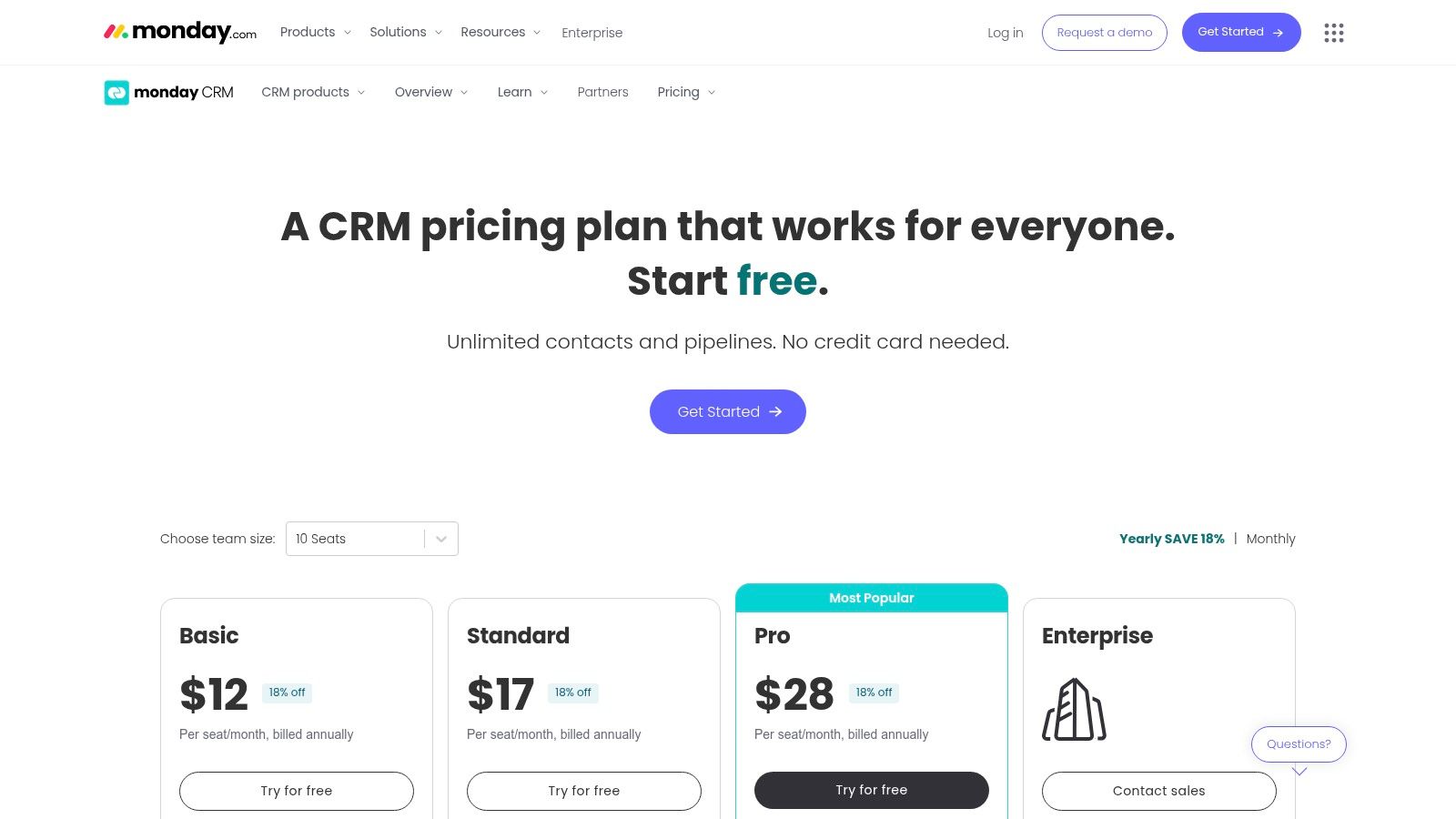
| Highly Visual & Customizable: The board-based interface is intuitive and easy to tailor. | No Ongoing Free Plan: Only offers a 14-day trial, with no permanently free CRM tier. |
| Excellent Automations: Powerful "if-this-then-that" recipes reduce manual work. | 3-Seat Minimum: All paid plans require a minimum of three user seats, increasing the base cost. |
| Integrated Project Management: Manage tasks and projects within the same platform as your CRM. | Can Be Overwhelming: The sheer flexibility can be a lot to configure for a brand new user. |
| Centralized Communication: Track all emails and activities for each contact in one timeline. | Not a "Pure" CRM: Lacks some of the deep, sales-specific features of dedicated CRMs. |
Get started at: monday sales CRM Pricing
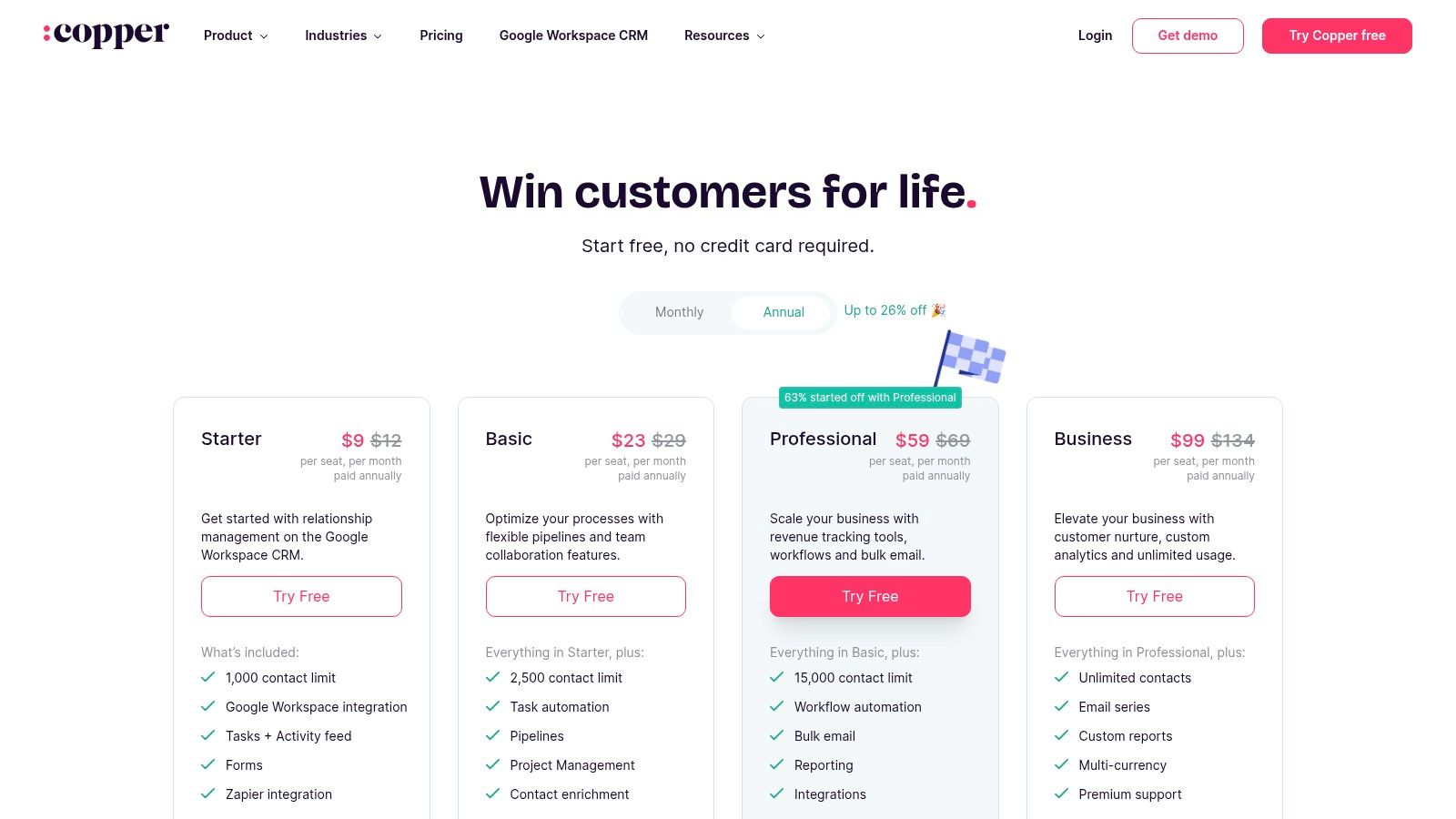
7. Copper
For the solopreneur who lives and breathes in Google Workspace, Copper is the path of least resistance to CRM adoption. It’s designed from the ground up to integrate seamlessly with Gmail, Google Calendar, and Google Drive, effectively turning your inbox into your command center. Instead of forcing you to learn a new interface, Copper embeds itself directly into the tools you already use daily. This near-zero-friction approach makes it one of the best CRM for solopreneurs who dread the thought of complex software and data migration.
Copper automatically scrapes contact information from your emails and meetings, populating profiles without manual entry. Its visual sales pipelines are clean and intuitive, allowing you to track deals and manage tasks right alongside your client communications. The Basic plan starts at $29 per user/month, offering a solid entry point for individuals deeply integrated with Google's ecosystem.
Why It Stands Out
Copper’s defining feature is its native-level Google Workspace integration. The Chrome extension is the star of the show, allowing you to update contact records, add notes, and see deal history without ever leaving your Gmail inbox. This email-centric workflow is a massive time-saver for consultants and freelancers who manage most of their client relationships via email. It eliminates the constant tab-switching that plagues users of less integrated systems, keeping you focused and productive.
Pros & Cons
| Pros | Cons |
|---|---|
| Effortless Google Integration: Feels like a natural part of Gmail and Google Calendar. | Limited Non-Google Integrations: Less flexible if you use tools outside the Google ecosystem. |
| Minimal Setup: Zero-friction adoption for users already in Google Workspace. | No Free Tier: Lacks a free-forever plan, requiring an immediate investment. |
| Automatic Data Entry: Scrapes contact info from emails, reducing manual work. | Contact Limits on Lower Plans: The Basic plan has a cap on the number of contacts you can manage. |
| Clean, Intuitive UI: The interface is straightforward and easy to navigate. | Advanced Features Gated: Key automation and reporting tools are reserved for pricier plans. |
Get started at: Copper Pricing
8. Streak for Gmail
For the solopreneur who practically lives in their inbox, Streak is a revelation. It’s a CRM that embeds directly into your Gmail interface, transforming your familiar email client into a powerful sales and client management pipeline. This eliminates the need to switch between tabs or learn a new platform, making it one of the most frictionless CRMs to adopt. You manage deals, track contacts, and monitor progress without ever leaving Gmail, which is a massive efficiency boost for any solo founder.
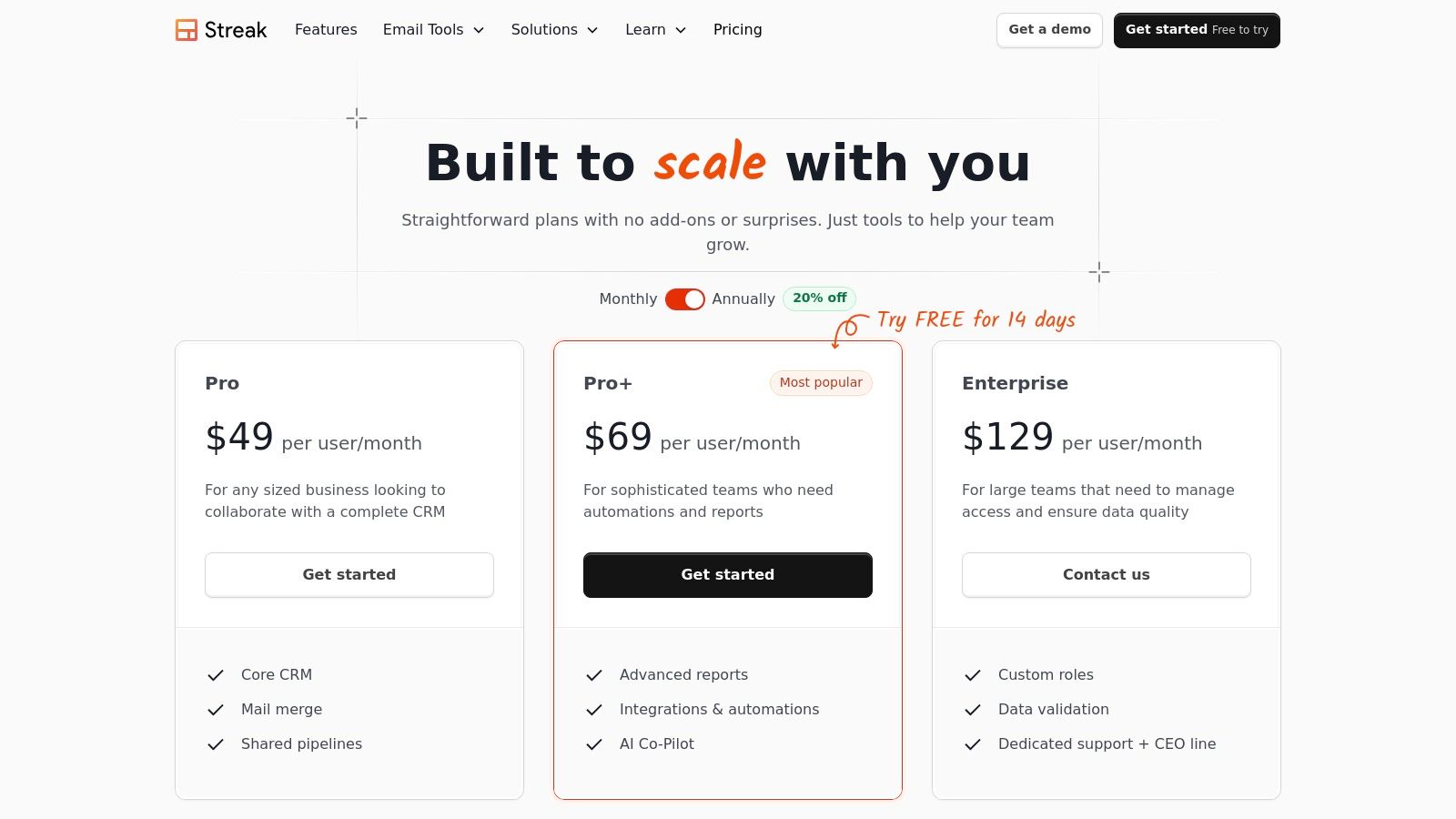
Streak’s approach is ideal for those who manage a linear sales or project process. It excels at visualizing workflows, allowing you to move contacts through customizable stages with a simple drag-and-drop interface. The free plan is quite capable for basic pipeline management, but the paid Solo plan is specifically designed for individuals, offering features like mail merge and advanced email tracking that are essential for outreach and follow-ups.
Why It Stands Out
The standout feature of Streak is its native Gmail integration. There is virtually no learning curve if you're a seasoned Gmail user, as the interface feels like a natural extension of your inbox. This makes it an exceptionally good CRM for solopreneurs who find standalone CRM platforms too complex or cumbersome. The ability to create pipelines for anything, from sales funnels to hiring processes or content calendars, directly within your email provides unmatched convenience and keeps your workflow centralized.
Pros & Cons
| Pros | Cons |
|---|---|
| Ultra-low Switching Cost: Lives inside Gmail, making adoption incredibly easy. | Tied to Gmail: Only works for users within the Google ecosystem. |
| Fair, Transparent Pricing: Offers a powerful free plan and a dedicated "Solo" plan. | Limited Reporting: Advanced reporting and analytics require more expensive plans. |
| Highly Customizable Pipelines: Adaptable for sales, project management, hiring, and more. | Collaboration is Gated: Shared pipelines and team features are reserved for higher tiers. |
| Convenient In-Inbox Tools: Mail merge and email tracking are built-in features. | Can Slow Down Gmail: The browser extension can sometimes impact Gmail's performance. |
Get started at: Streak Pricing
9. Capsule CRM
Capsule CRM offers a refreshingly simple and effective approach to customer relationship management, making it an excellent choice for solopreneurs who feel overwhelmed by more complex systems. It focuses on the core necessities: managing contacts, tracking sales opportunities, and organizing tasks, all within a clean and intuitive interface. This straightforward design means you can get set up and start being productive in minutes, not hours or days.
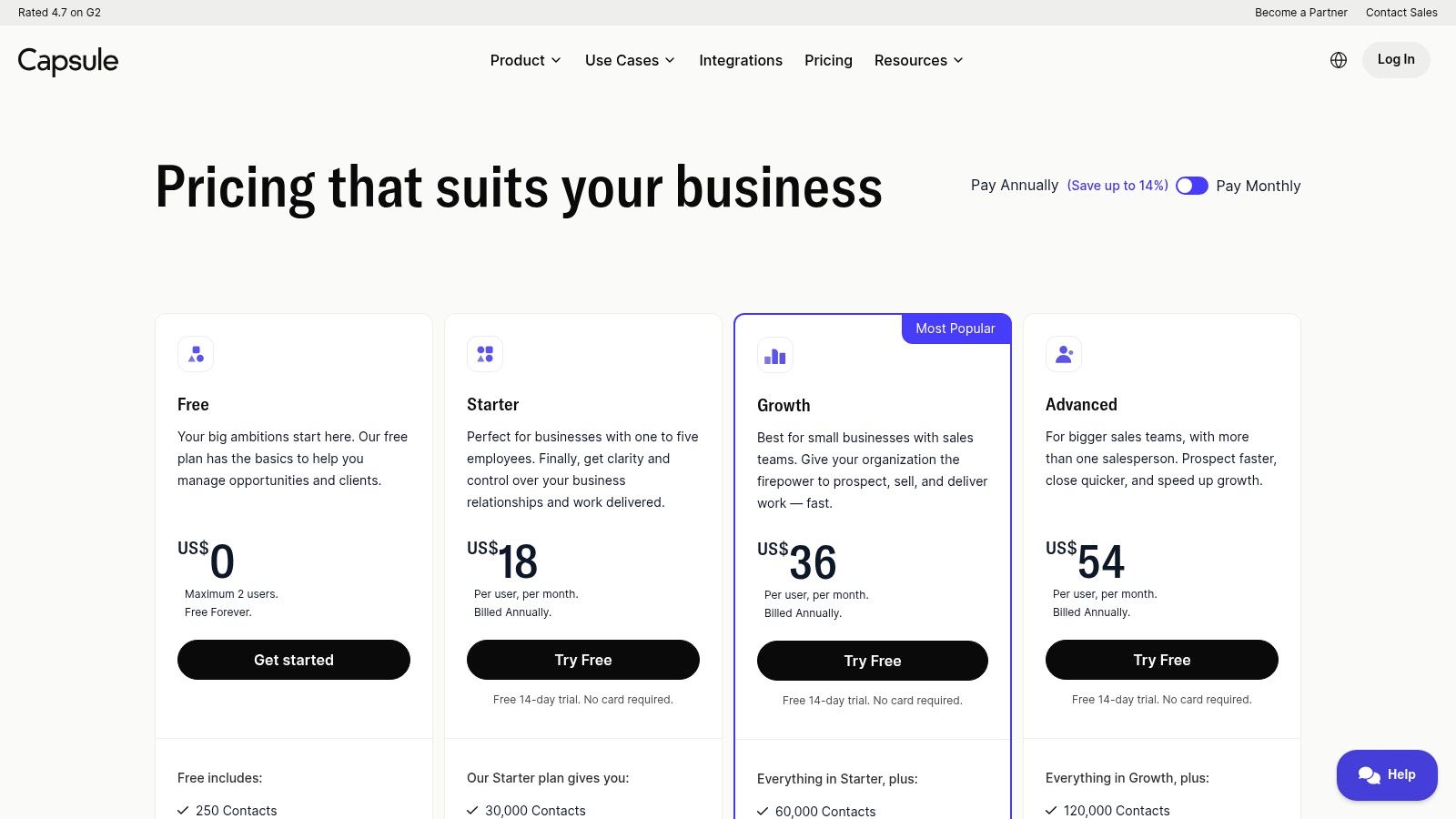
Its free plan is particularly generous for a solo operator, offering core CRM features for up to 250 contacts. As your business grows, Capsule's paid tiers are affordably priced, providing a logical and cost-effective upgrade path. This makes it one of the best CRM for solopreneurs who prioritize ease of use and a clutter-free experience over having every possible feature under the sun.
Why It Stands Out
Capsule’s main advantage is its elegant simplicity and user-centric design. While other platforms pack in features that a solopreneur may never use, Capsule doubles down on making the essentials work flawlessly. The visual sales pipeline is a perfect example: it’s easy to set up, provides a clear overview of your deals at a glance, and makes moving prospects through your sales process incredibly simple. For consultants or freelancers who just need a reliable way to manage leads and client projects without a steep learning curve, Capsule is a perfect fit.
Pros & Cons
| Pros | Cons |
|---|---|
| Intuitive and Clean UI: Extremely easy to learn and navigate, reducing setup time. | Limited Free Plan: 250 contact limit can be restrictive as you grow. |
| Generous Free Tier: The free plan is robust enough for early-stage solopreneurs. | Fewer Native Tools: Lacks built-in email marketing or advanced automation found in all-in-one platforms. |
| Affordable Paid Plans: Scaling up is budget-friendly compared to many competitors. | Basic Reporting: Advanced analytics and reporting are reserved for higher-tier plans. |
| Strong Core Features: Excels at contact management, task organization, and pipeline tracking. | Integration-Dependent: Relies on third-party integrations for many marketing and support functions. |
Get started at: Capsule CRM Pricing
10. Less Annoying CRM
Less Annoying CRM (LACRM) lives up to its name by offering a refreshingly simple, no-nonsense approach to customer relationship management. It’s designed for the solopreneur who is overwhelmed by complex systems and just wants a straightforward tool to manage contacts, track leads, and stay on top of their calendar. LACRM strips away the confusing features and focuses exclusively on the core functionalities that a solo business owner truly needs, all presented in a clean, intuitive interface.
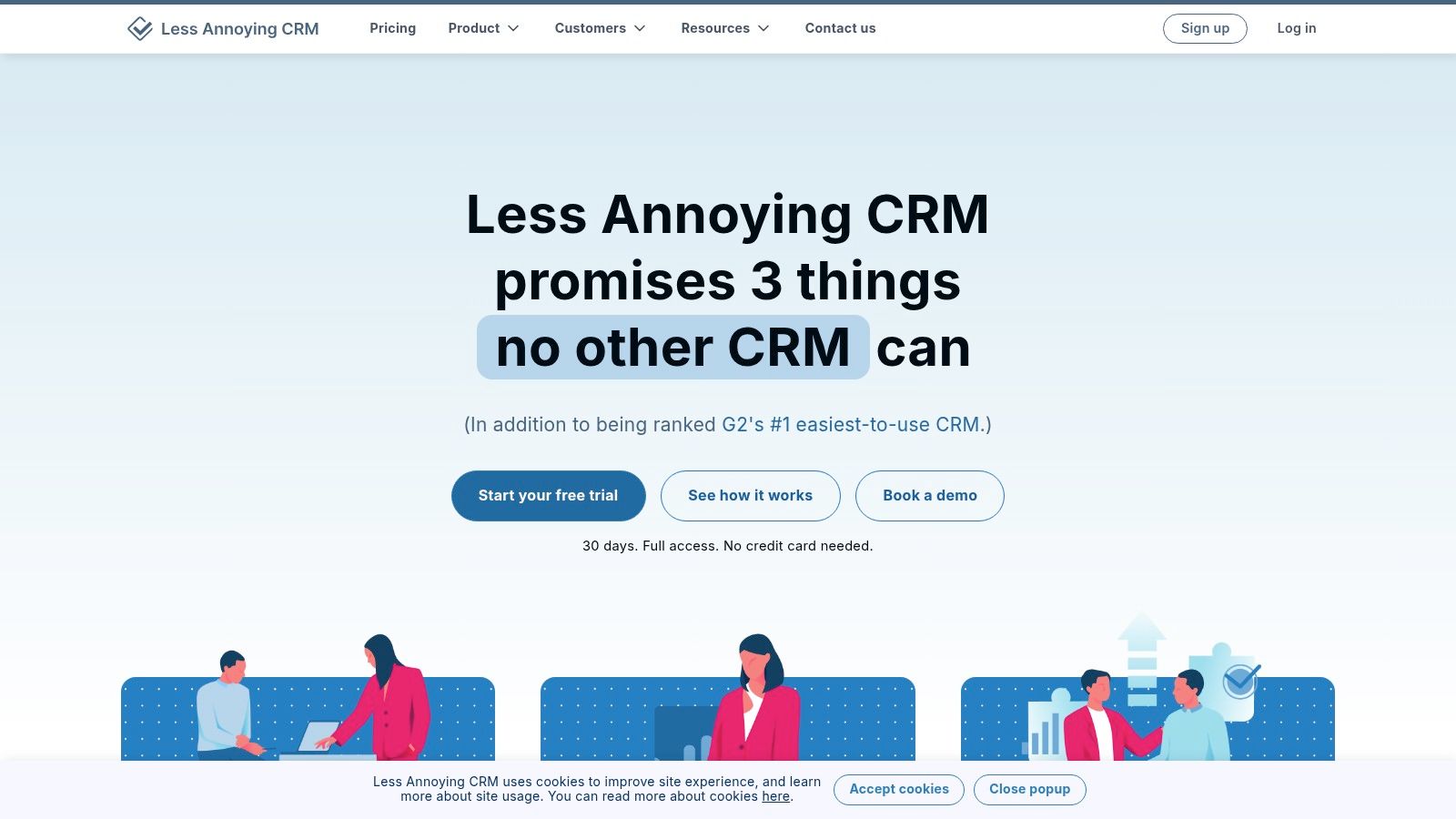
The platform’s biggest draw is its single, transparent pricing model: one low flat fee per user with no hidden costs, up-sells, or feature tiers. For a solopreneur managing a budget, this predictability is invaluable. You get every feature from day one, including contact management, sales pipelines, task lists, and unlimited US-based phone and email support, all backed by a generous 30-day free trial.
Why It Stands Out
What makes Less Annoying CRM a standout option is its unwavering commitment to simplicity and user support. While other platforms aim to be an all-in-one marketing and sales behemoth, LACRM excels at being an exceptional CRM and nothing more. This focused approach makes it one of the easiest CRMs to learn and implement, often in under an hour. The free, highly-rated customer support ensures that even the least tech-savvy solopreneur can get help quickly. This makes it a perfect foundation for a simple, effective sales process, which you can learn more about by exploring marketing for solopreneurs on unkoa.com.
Pros & Cons
| Pros | Cons |
|---|---|
| Simple, Flat Pricing: One low price ($15/user/month) for all features, with no surprises. | Limited Native Integrations: Relies heavily on Zapier or its API for connecting to other tools. |
| Extremely Easy to Use: The interface is intuitive and requires minimal training to master. | No Advanced Automation: Lacks built-in email marketing automation or complex workflows. |
| Excellent Customer Support: Free, unlimited phone and email support from a US-based team. | Basic Reporting: Analytics are functional but not as deep or customizable as larger platforms. |
| Generous Free Trial: A full 30-day trial lets you test everything without a credit card. | Dated User Interface: The design is clean and functional but lacks a modern aesthetic. |
Get started at: Less Annoying CRM
11. Nimble
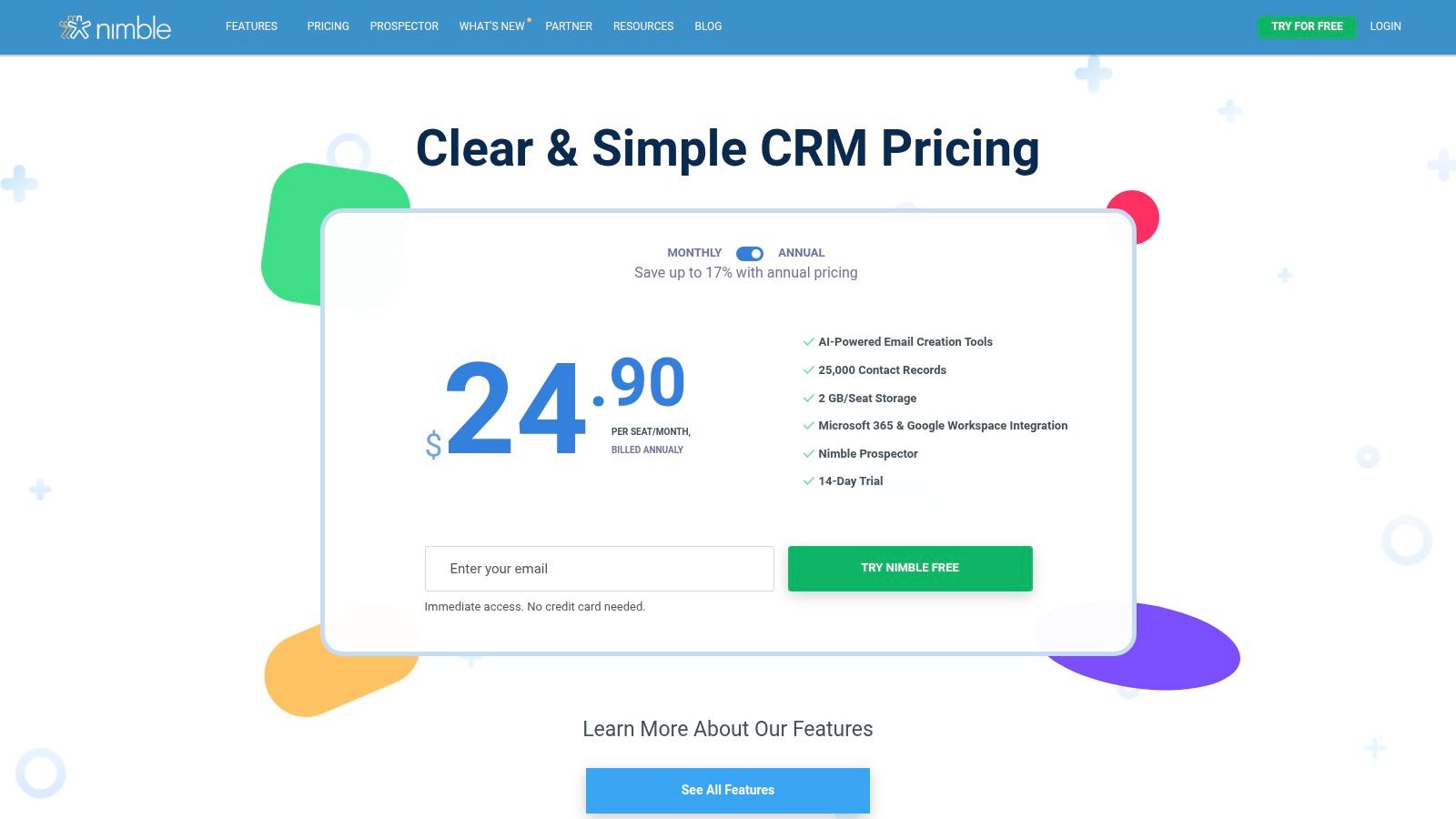
Nimble is designed for the solopreneur whose business is built on relationships, making it a powerful networking and sales tool. It excels at consolidating contacts from various sources like email, calendars, and social media into a single, enriched profile. The platform automatically builds out contact records with details from platforms like LinkedIn, Twitter, and Facebook, saving you hours of manual research and providing crucial context before you reach out. For consultants, coaches, and freelancers who rely on networking, this social-centric approach is invaluable.
The CRM's deep integration with both Microsoft 365 and Google Workspace means it lives right inside your inbox, allowing you to manage relationships without constantly switching tabs. Nimble is less about complex sales funnels and more about personal engagement, offering features like group messaging and simple workflow automations to help you stay top-of-mind with your network. This focus makes it one of the best CRM for solopreneurs who prioritize genuine connection over high-volume sales.
Why It Stands Out
Nimble's standout feature is its automatic contact enrichment and social media integration. While other CRMs can store contact info, Nimble actively seeks it out and presents it in a unified, actionable view. Its browser extension, Nimble Prospector, lets you capture contact details from anywhere on the web, including social profiles and company websites. This relationship-first design helps solopreneurs build and maintain a strong professional network, which is often the primary driver of new business.
Pros & Cons
| Pros | Cons |
|---|---|
| Excellent Social Integration: Automatically enriches contacts with social data. | Contact and Storage Limits: The single plan has limits on contacts and file storage. |
| Deep Inbox Integration: Works seamlessly inside Google Workspace and Microsoft 365. | Add-Ons Required for Scale: Higher email volumes and advanced features require paid add-ons. |
| Relationship-Focused: Ideal for networking-heavy business models. | Limited Marketing Automation: Not as robust for complex email marketing campaigns as competitors. |
| Simple Pricing: A clear, single plan makes it easy to predict costs. | Less Suited for B2C: The feature set is heavily optimized for B2B relationship management. |
Get started at: Nimble
12. Close
Close is a sales-focused CRM built for speed and communication efficiency, making it a powerful choice for solopreneurs who spend their days calling, emailing, and texting leads. It consolidates all your outreach activities into one unified inbox, eliminating the need to switch between your phone, email client, and CRM. For a solo operator whose primary goal is closing deals, this all-in-one communication hub is a massive productivity booster.
The platform is designed around a high-velocity sales workflow. Its Solo plan is specifically priced for individual users, offering core features like a multi-channel inbox, multiple pipelines, and advanced contact filtering without the high cost of a team-based plan. This makes it one of the best CRM for solopreneurs who need a robust sales engine without paying for unused seats.

Why It Stands Out
What truly sets Close apart is its native integration of calling, SMS, and email. While other CRMs rely on third-party apps for telephony, Close builds it right in. This means every call, text, and email is automatically logged to the correct contact, providing a complete, chronological history of every interaction. This tight integration ensures no detail is lost and empowers you to pick up any conversation exactly where you left off, which is critical for building strong client relationships.
Pros & Cons
| Pros | Cons |
|---|---|
| Integrated Communications: Built-in calling, SMS, and email streamline outreach. | Usage-Based Fees: Calling and SMS features often come with additional usage fees. |
| Solo-Focused Plan: An affordable plan designed specifically for individual users. | Advanced Features Gated: Workflows and power/predictive dialers are reserved for higher-tier plans. |
| High-Velocity Workflow: The interface is optimized for rapid lead follow-up and management. | Steeper Learning Curve: The sales-centric focus may be less intuitive for non-sales roles. |
| Powerful Search & Filtering: Quickly segment leads with custom fields and Smart Views. | Not an All-in-One CRM: Lacks the broad marketing and service features found in platforms like HubSpot. |
Get started at: Close Pricing
12 Best CRMs for Solopreneurs — Quick Comparison
| Product | Best for | Core features | Setup & UX | Price / Value | Standout |
|---|---|---|---|---|---|
| HubSpot CRM | Solos who plan to scale | Unified Marketing/Sales/Service, app marketplace, AI features | Moderate setup; excellent self-serve training | Strong free tier; costs grow with contacts/users | Extensive academy + ecosystem |
| Zoho CRM | SMBs wanting customization | Lead/deal management, workflows, analytics, 600+ integrations | Flexible but can be complex | Forever-free (up to 3 users); excellent value | Broad Zoho ecosystem; Zia AI (higher tiers) |
| Bigin by Zoho | Solopreneurs & tiny teams | Pipeline-first UI, email & WhatsApp, no-code forms | Very fast onboarding; beginner friendly | Low-cost, lighter feature set | One-click upgrade path to Zoho CRM |
| Pipedrive | Sales-focused solos | Kanban pipelines, email sync, meeting scheduler | Very intuitive; quick to adopt | Affordable base; key features often paid add-ons | Best visual pipeline UX |
| Freshsales (Freshworks CRM) | Solos who want built-in comms | Built-in phone, chat, email, workflows, Kanban | Quick to deploy; usable free plan | Strong feature-to-price ratio | Bundled telephony & chat |
| monday sales CRM | Visual workflow users + PM | Custom boards, automations, dashboards, templates | Highly customizable; steeper setup | No ongoing free plan; 3-seat min on paid plans | CRM + light project tracking in one app |
| Copper | Google Workspace-centric solos | Deep Gmail/Calendar/Drive integrations, pipelines | Near-zero friction for Gmail users | Good for Google workflows; contact limits low tiers | Native Google Workspace experience |
| Streak for Gmail | Inbox-first individuals | In-Gmail pipelines, mail merge, tracking, AI copilot | Ultra-low switching cost; works inside Gmail | Solo plan for individuals; transparent pricing | CRM embedded in Gmail |
| Capsule CRM | Minimalist contact managers | Contacts, tasks, pipelines, email templates | Simple UI; easy to learn | Free for 2 users; inexpensive paid tiers | Lightweight and straightforward |
| Less Annoying CRM | Beginners who want simple pricing | Contacts, pipelines, tasks, calendar, Zapier | Very beginner-friendly; US support included | One low flat price; no tiers or upsells | Simple flat pricing and hands-on support |
| Nimble | Relationship-driven consultants | Contact enrichment, workflows, group messaging | Simple setup; single plan + add-ons | Single plan with optional paid add-ons | Strong contact enrichment for personal brands |
| Close | Solo sellers who call a lot | Multi-channel inbox, built-in dialer/SMS, multiple pipelines | Solo plan easy to start; dialer features scale | Solo plan affordable; dialer/SMS fees may apply | Integrated calling + sales workflow stack |
Final Thoughts
Navigating the crowded market to find the best CRM for solopreneurs can feel like an overwhelming task. You've just explored twelve powerful contenders, each with distinct strengths tailored for the one-person powerhouse. From the robust, all-in-one ecosystem of HubSpot to the streamlined, no-nonsense approach of Less Annoying CRM, the right tool isn't a one-size-fits-all solution; it's the one that seamlessly integrates into your specific workflow, amplifies your strengths, and minimizes administrative drag.
The core takeaway from our deep dive is this: the perfect CRM is less about having every feature imaginable and more about having the right features that solve your most pressing challenges. It's the system that empowers you to build meaningful relationships at scale, without demanding you become a full-time data-entry clerk.
Your Path Forward: Choosing and Implementing Your CRM
You've done the research. Now it’s time for action. Don't let analysis paralysis stall your momentum. Your next steps are simple but crucial for translating this knowledge into real business growth.
- Revisit Your Core Need: Look back at the checklist provided earlier in this guide. What is your absolute, non-negotiable priority? Is it sales pipeline visualization? Deep Gmail integration? Effortless contact management? Your primary goal should be your North Star.
- For the Visual Sales Pro: If you live and breathe by your sales stages, solutions like Pipedrive or monday sales CRM are built for your brain. Their visual, drag-and-drop pipelines are second to none.
- For the Gmail Power User: If your inbox is your command center, look no further than Streak or Copper. Their native integration transforms Gmail into a surprisingly powerful CRM, keeping you in your flow state.
- For the "Just the Basics" Founder: If you're allergic to complexity and just need a simple, effective system to manage contacts and follow-ups, Less Annoying CRM or Capsule CRM are your champions. They deliver on their promise of simplicity.
- For the Growth-Minded Scaler: If you envision a future with a team and need a platform that can grow with you, starting with the free tier of HubSpot or the feature-rich Zoho CRM provides an incredible runway.
- Commit to a Trial: Theory is one thing; practice is everything. Almost every CRM on this list offers a free trial or a generous free-forever plan. Sign up for your top choice today. Block out 60-90 minutes on your calendar this week dedicated solely to setting it up using our quick-start guides. Import a small batch of contacts and use it exclusively for a week to manage those relationships.
- Integrate One Key Tool: The power of a modern CRM is magnified by its connections. Don't try to connect everything at once. Pick the one tool you use most and integrate it first.
This single integration will immediately demonstrate the CRM's value and build the habit of using it as your central hub.
As a solopreneur, your most valuable asset is your time. The right CRM isn’t just another piece of software; it's a strategic partner that automates the tedious, organizes the chaotic, and frees you to focus on what you do best: building your business, serving your clients, and generating revenue. You have the knowledge and the roadmap. Now go build those relationships.