7 Practical Alternatives to Email for B2B Client Acquisition in 2026


For small agencies and B2B businesses, the email inbox is both a lifeline and a bottleneck. It’s where deals are closed, but it's also where crucial updates get lost in endless threads and follow-ups become a full-time job. While email isn't disappearing, relying on it alone for client acquisition and project delivery is a time and money constraint many small teams can't afford. The goal is to ship faster and convert better, which means moving key conversations to the right platform. This playbook explores seven powerful alternatives to email, each with a specific workflow designed for B2B growth.
This list is built for action. Instead of generic overviews, you'll find a practical breakdown for each alternative, complete with a suggested tool stack, target use-cases, and the exact metrics to track for success. We've included screenshots and direct links to help you get started immediately. Our focus is on turning complex outreach and client management problems into lean, repeatable systems. To effectively move beyond traditional email and unlock growth, understanding the best collaboration tools for remote teams is paramount, as they form the foundation for these modern workflows. Consider this your guide to finding the right communication channels to scale your business.
1. Slack
For many businesses, Slack is the most direct and widely adopted of all the alternatives to email, especially for internal teams. It replaces lengthy, hard-to-track email threads with organized, topic-specific channels. This structure makes conversations searchable, transparent, and significantly easier to follow than a cluttered inbox.
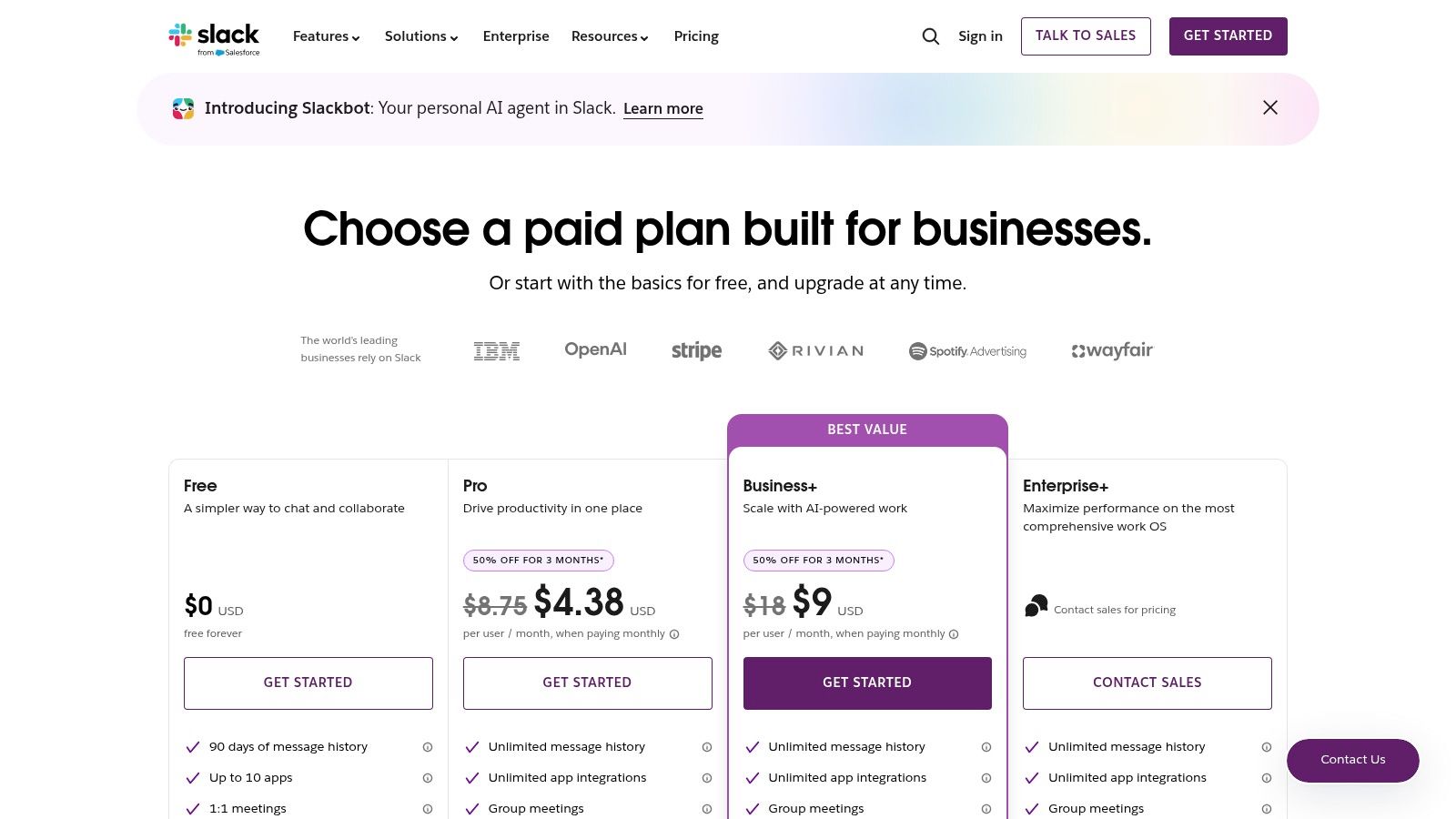
Its core strength lies in its ubiquity and powerful integrations. Many clients and partners already use Slack, making external collaboration via Slack Connect seamless. This feature allows you to create a shared channel between two separate organizations, keeping project communications centralized and secure without resorting to email. For situations where email remains necessary, you can even forward emails to Slack, consolidating all communication in one place.
The Slack Workflow for Client Acquisition
- Initial Contact & Onboarding: After making initial contact (perhaps via another channel), invite the new client to a dedicated Slack Connect channel. Use this channel to share onboarding documents, introduce team members, and set project expectations.
- Project Management & Communication: Create specific channels for different project aspects (e.g.,
#project-x-feedback,#project-x-milestones). Integrate tools like Notion or todoist to post automated updates directly into these channels, keeping the client informed without manual emails. - Ongoing Support & Retainers: Use the channel for quick Q&A, ad-hoc meetings via Huddles (with screen sharing), and ongoing support, strengthening the client relationship through real-time interaction.
Key Insight: The true power of Slack as an email alternative comes from its app ecosystem. By integrating your CRM, project management, and file-sharing tools, you create a central command center for client work, dramatically reducing the need to switch between applications. Explore other small business automation tools to see how they can connect with Slack.
Metrics & Tradeoffs
- Metrics to Track: Response time to client messages, number of client interactions per day, and client satisfaction scores.
- Tradeoffs: While powerful, Slack can become a source of constant notifications if not managed with clear communication norms. The Business+ and Enterprise plans, which offer advanced security and governance features, also come at a higher price point than many competitors.
Website: https://slack.com/pricing
2. Microsoft Teams
For organizations already embedded in the Microsoft 365 ecosystem, Teams is the most logical and powerful of the alternatives to email. It moves beyond simple chat to become a unified hub for collaboration, tightly integrating conversations, files, meetings, and tasks. This prevents the siloing of information that often happens when jumping between an inbox, a file server, and a meeting app.
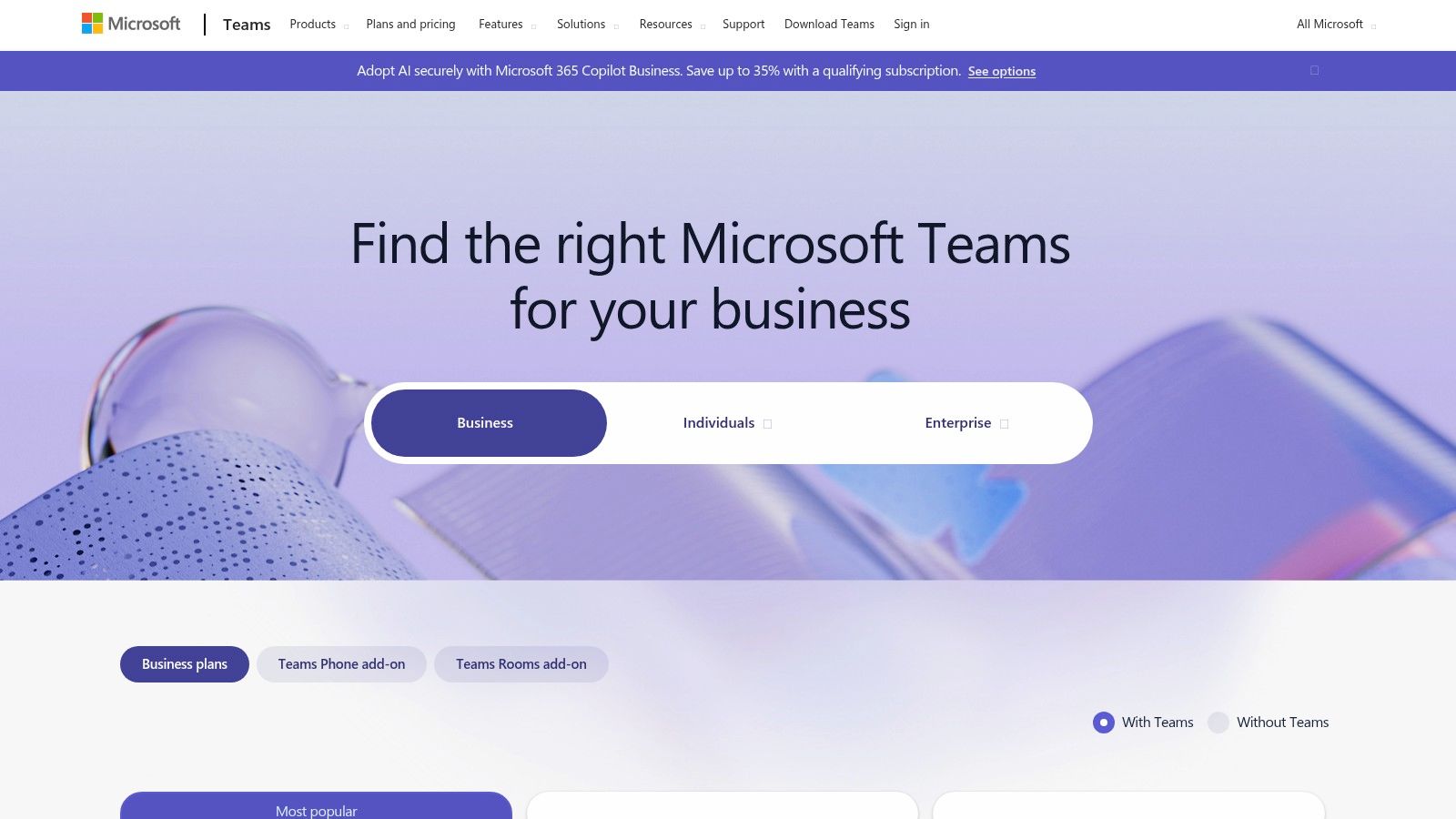
Its greatest strength is its native integration with tools like Word, Excel, SharePoint, and Outlook. This allows for real-time co-authoring of documents directly within a channel, eliminating the need to email versioned attachments back and forth. For external collaboration, Teams Connect (shared channels) allows you to invite clients into a specific channel without giving them access to your entire team, creating a secure, shared workspace.
The Microsoft Teams Workflow for Client Acquisition
- Initial Contact & Proposal: After an initial call, create a private channel for the prospective client. Share a proposal as a Word document directly in the channel, allowing them to add comments and questions in real-time.
- Project Onboarding & Execution: Once the deal is signed, transition the channel to the project team. Use the Tasks by Planner and To Do tab to assign and track deliverables, which are visible to everyone. This creates a transparent project plan, and you can even explore ways to use Todoist for client management and integrate updates.
- File Management & Review: All files shared in the channel are automatically stored in a dedicated SharePoint folder. This provides a single source of truth for all project assets, from design mockups to final reports, making version control effortless.
Key Insight: Teams excels in environments where compliance and security are paramount. Its deep integration with Microsoft's admin and security centers makes it a preferred choice for working with enterprise-level or regulated clients who require robust data governance and control.
Metrics & Tradeoffs
- Metrics to Track: Document co-authoring sessions, time to complete tasks in Planner, and the number of meetings required per project milestone.
- Tradeoffs: The user experience can feel less streamlined than dedicated chat apps, especially for smaller teams not using the full Microsoft 365 suite. Maximizing its potential often requires a broader investment in Microsoft's ecosystem, as the best features rely on SharePoint and other connected services.
Website: https://www.microsoft.com/en-us/microsoft-teams/compare-microsoft-teams-options
3. Google Chat (via Google Workspace)
For teams deeply embedded in the Google ecosystem, Google Chat offers one of the most seamless alternatives to email for internal and external communication. It replaces fragmented email chains with organized, threaded "Spaces" that are natively connected to Gmail, Drive, Calendar, and Meet. This integration provides a unified hub for conversation, file sharing, and video calls without leaving the Workspace environment.
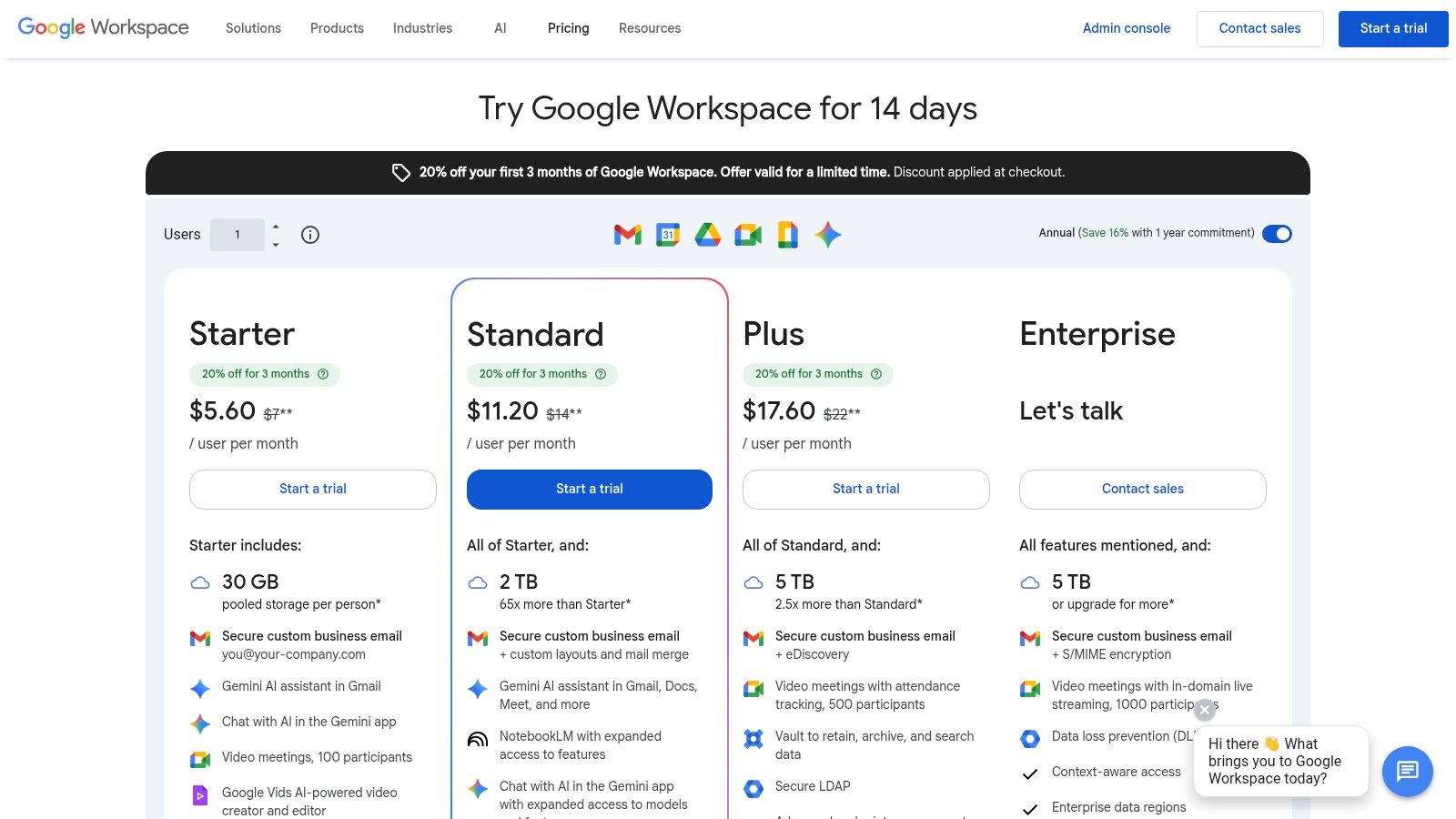
Its primary advantage is the minimal friction for existing Google users. Because it is bundled with Google Workspace, there is no separate app to purchase or onboard. You can easily share Drive files with correct permissions, schedule Meet calls directly from a chat message, and invite clients who have a Google account into a shared Space, keeping all project-related assets and discussions together.
The Google Chat Workflow for Client Acquisition
- Onboarding and Initial Setup: Once a client is signed, create a dedicated Google Space for the project. Invite the client and relevant team members using their Google accounts. Share a "welcome" Google Doc with project scope and key contacts directly in the Space.
- Collaborative Project Execution: Use the Space for daily stand-ups, feedback on shared Google Sheets or Slides, and quick questions. The threaded replies keep conversations organized by topic. Initiate a Google Meet call with one click for spontaneous discussions, eliminating the need to schedule formal meetings via email.
- File Management and Approvals: Instead of emailing document versions back and forth, share links to live Google Drive files. Use comments and suggestions within the documents themselves, and post a message in the Space to notify the team when a file is ready for final approval.
Key Insight: Google Chat excels in its simplicity and deep integration. For businesses that live in Google Drive and Calendar, it removes the context-switching penalty of using a separate chat app, making it a natural and efficient evolution from an email-centric workflow.
Metrics & Tradeoffs
- Metrics to Track: Time to first response in client Spaces, number of meetings initiated via Chat vs. Calendar, and volume of Drive files shared and collaborated on.
- Tradeoffs: Google Chat has a less extensive third-party app marketplace compared to Slack. It is also not sold as a standalone product; access requires a Google Workspace subscription, which may not be ideal for teams not already committed to the Google ecosystem.
Website: https://workspace.google.com/pricing.html
4. Basecamp
For agencies and consultants drowning in client email chains, Basecamp offers a structured, project-focused sanctuary. It’s one of the most effective alternatives to email for centralizing all client communication, files, and tasks into a single, organized project space. This approach replaces scattered information and endless reply-all threads with clarity and a single source of truth.
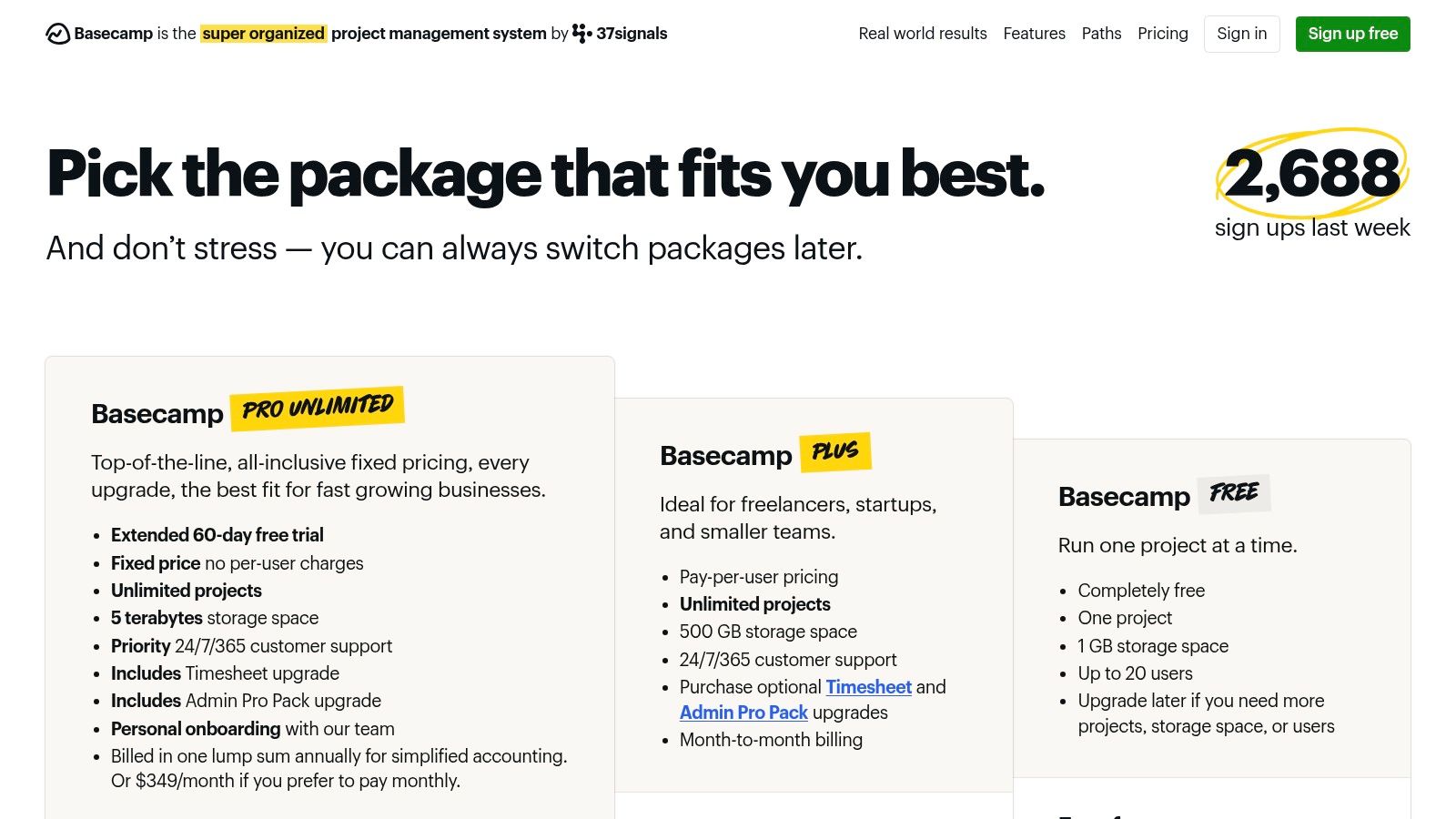
Basecamp's core strength is its simplicity and all-in-one nature. Unlike tools that require heavy integration, it provides everything out of the box: Message Boards for asynchronous updates, Campfire chat for quick questions, To-dos for action items, and Docs & Files for shared assets. A major advantage for B2B work is that clients and contractors are free on the Plus and Pro Unlimited plans, making it incredibly easy to get everyone on board without friction.
The Basecamp Workflow for Client Acquisition
- Project Kickoff & Centralization: Once a client is signed, create a dedicated Basecamp project for them. Post the official project kickoff announcement on the Message Board, and upload key documents (like the SOW and brand guidelines) to the Docs & Files section. This immediately establishes Basecamp as the project hub.
- Milestone Management & Status Updates: Break down the project into actionable to-do lists and assign tasks with deadlines. Use Automatic Check-ins to prompt the client and your team for regular status updates (e.g., "What did you accomplish this week?"), completely eliminating the need for manual check-in emails.
- Feedback & Approvals: Instead of emailing drafts and revisions, upload files directly to the project. Clients can leave comments directly on the files or in the associated Message Board thread, keeping all feedback contextual and in one place.
Key Insight: Basecamp thrives by creating a "calm" work environment. Its design intentionally discourages the constant, real-time interruptions common in chat apps, promoting more thoughtful, asynchronous communication. This makes it an ideal email alternative for projects that value deep work over constant chatter.
Metrics & Tradeoffs
- Metrics to Track: On-time project completion rate, number of client messages outside of Basecamp (the lower, the better), and client onboarding time.
- Tradeoffs: Basecamp has fewer direct integrations and automation capabilities compared to Slack or Microsoft Teams. Its focus on simplicity means it lacks the advanced reporting and customization that some larger or more complex projects might require.
Website: https://basecamp.com/pricing
5. Twist (by Doist)
For teams drowning in constant notifications, Twist is one of the more thoughtful alternatives to email, designed specifically for asynchronous communication. It organizes conversations into structured, topic-based threads, making information easy to find and digest later. Unlike real-time chat apps that can feel like a chaotic, always-on meeting, Twist prioritizes focused work and clear context over immediate responses.
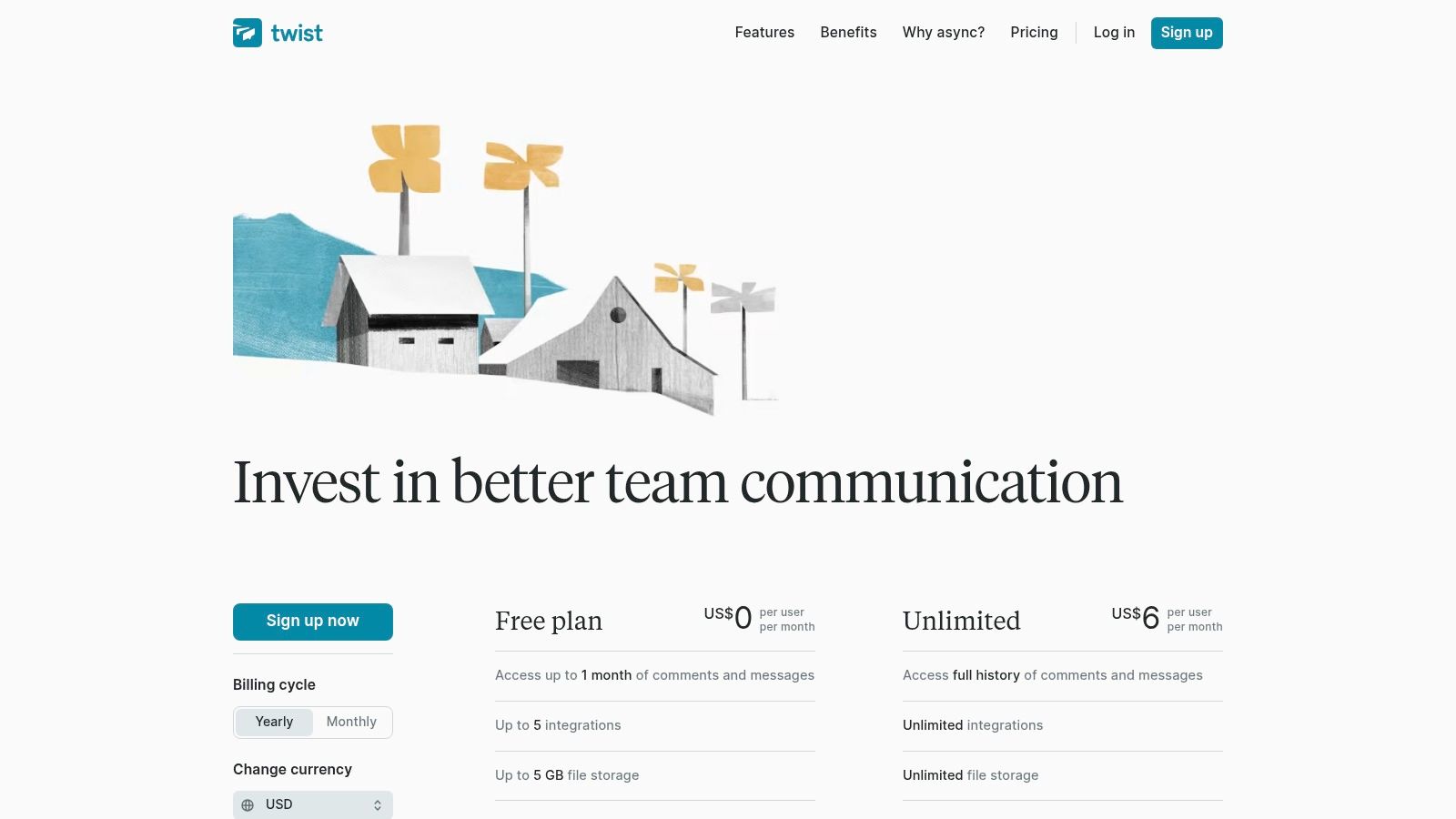
Its core strength is in preventing "ping fatigue" and preserving institutional knowledge. Every conversation starts with a subject line, just like an email, but remains within a searchable, channel-based structure. This makes it ideal for collaborating with clients on long-term projects where context is critical. With generous guest access options, you can invite clients into specific channels without giving them access to your entire workspace, keeping communication organized and secure.
The Twist Workflow for Client Acquisition
- Project Kick-off & Documentation: Once a client is signed, create a dedicated channel (e.g.,
#client-project-alpha) and invite them as a guest. Start a new thread for the project brief, another for onboarding documents, and another for introductions, keeping each topic contained. - Milestone Updates & Feedback Loops: Instead of sending a status update email, create a new thread titled "Milestone 1: Wireframe Feedback." Post the designs, add your comments, and the client can add their feedback directly within that thread. This creates a permanent, easy-to-reference record of all feedback for that specific deliverable.
- Knowledge Base & Handoff: As the project concludes, the Twist channel serves as a complete archive of every decision and discussion. It's easily searchable for both your team and the client, simplifying project handoff and future reference needs.
Key Insight: Twist excels by combining the organization of email with the convenience of chat. Its thread-first model forces deliberate communication, making it a powerful tool for complex projects where detailed, contextual conversations are more valuable than rapid-fire chat. It's built by the same team behind todoist, and the shared philosophy of calm productivity is evident.
Metrics & Tradeoffs
- Metrics to Track: Time-to-resolution for client feedback threads, number of threads created per project milestone, and client engagement within specific threads.
- Tradeoffs: Twist’s biggest strength is also its main tradeoff; it intentionally tones down the real-time chat feel. Its integration ecosystem is smaller than Slack’s, which may be a limitation for teams heavily reliant on a wide range of third-party app connections.
Website: https://twist.com/pricing
6. Zulip
Zulip is one of the most thoughtfully designed alternatives to email for technical or detail-oriented teams who find channel-based chat overwhelming. Its unique strength is a topic-based threading model where every conversation must have a topic within a broader "stream" (similar to a channel). This enforces organization and makes it exceptionally easy to catch up on specific discussions without reading through irrelevant chatter.
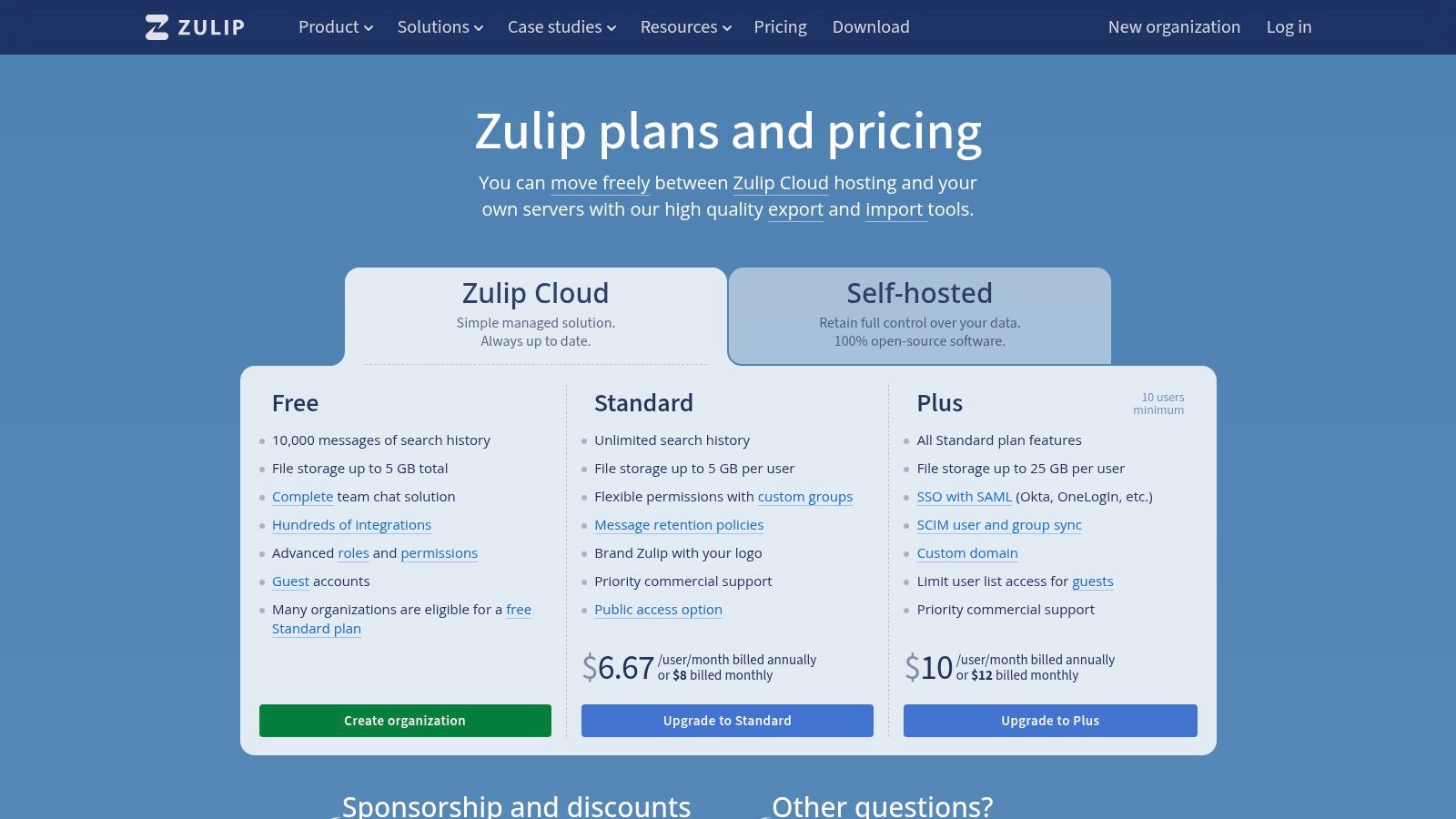
As an open-source platform, Zulip offers unparalleled flexibility. You can choose its cloud-hosted version for convenience or self-host it for complete data control and potential cost savings. This is a significant advantage for organizations with strict data sovereignty requirements or the technical resources to manage their own infrastructure. The threaded model ensures that important client decisions and technical specifications don't get lost in a fast-moving timeline.
The Zulip Workflow for Client Acquisition
- Technical Scoping: For a client project that requires detailed technical discussions, create a dedicated stream (e.g.,
client-project-alpha). Within this stream, start a new topic for each specific feature or requirement (e.g.,API integration scope,authentication flow,database schema review). - Organized Feedback & Approvals: Instead of endless email chains for design mockups or document reviews, post each version in a dedicated topic. All feedback, questions, and final approvals are neatly nested, creating a clear and permanent record for both parties.
- Durable Knowledge Base: The highly organized nature of streams and topics turns your communication history into a searchable knowledge base. When a client has a question about a past decision, you can link them directly to the specific topic where it was discussed, eliminating ambiguity.
Key Insight: Zulip excels at asynchronous communication. Its structure is built to respect deep work, allowing team members and clients to disengage and later catch up on specific topics efficiently, a stark contrast to the "always-on" pressure of many other real-time chat tools.
Metrics & Tradeoffs
- Metrics to Track: Time-to-resolution for client questions, number of active topics per project, and a qualitative assessment of conversation clarity and searchability.
- Tradeoffs: The topic-threading model has a steeper learning curve than simple channel-based chat. Zulip also has a smaller integration ecosystem compared to Slack, and self-hosting requires dedicated technical expertise for setup and maintenance.
Website: https://zulip.com/plans/
7. Loom
For situations where showing is faster and clearer than typing, Loom is one of the most effective alternatives to email. It replaces long status updates, complex explainers, and technical walkthroughs with asynchronous screen and camera recordings. This allows you to convey nuance and detail that text-based communication often loses, reducing misunderstandings and back-and-forth threads.
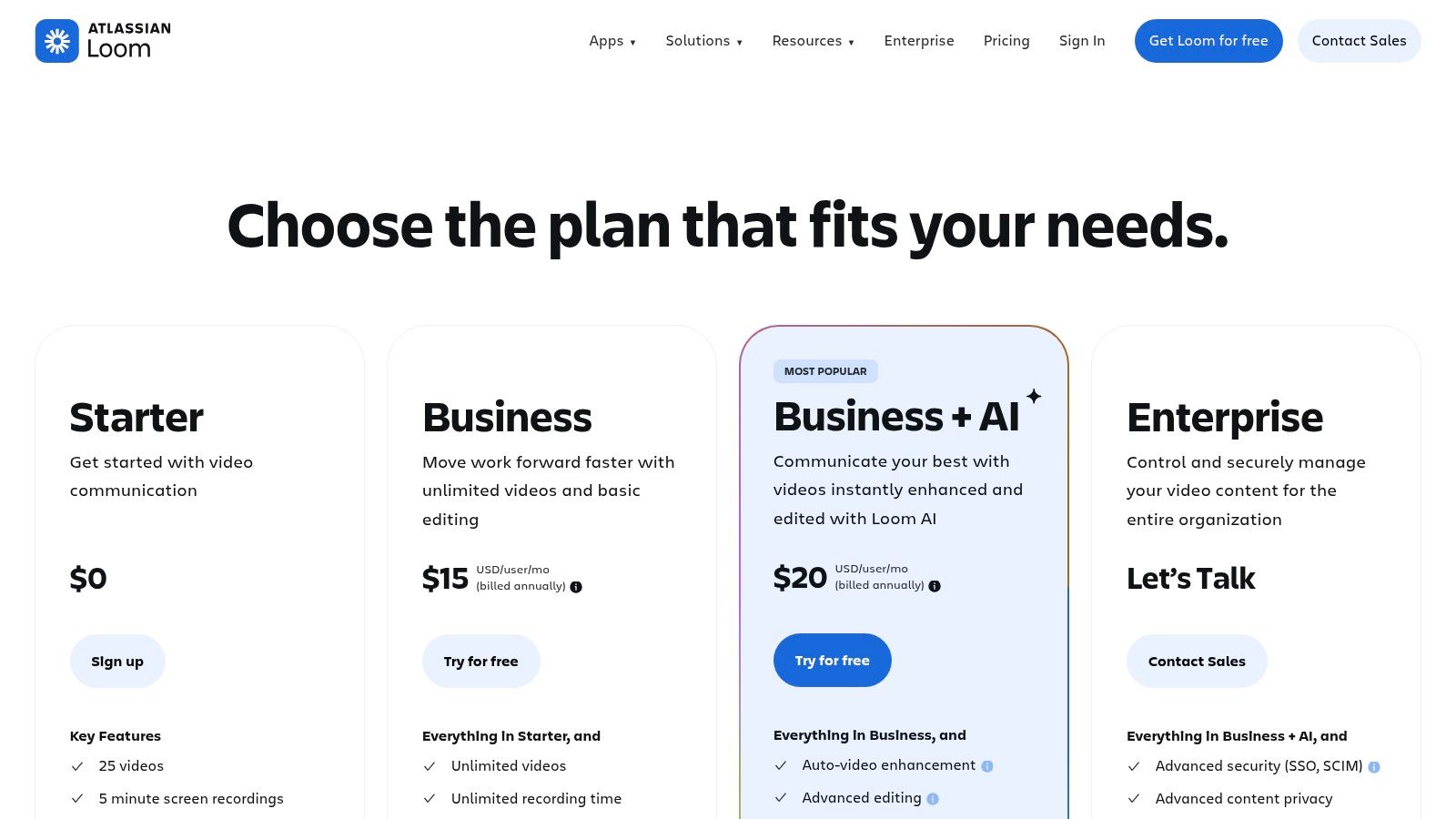
Its primary strength is its simplicity and the human element it brings to digital communication. Instead of a dense email, a client receives a quick, personal video walkthrough of a new feature, a design concept, or a project update. Features like automated transcripts, AI-powered summaries, and clickable CTAs on paid plans make these videos highly actionable and easy to reference later, blending the efficiency of video with the searchability of text.
The Loom Workflow for Client Acquisition
- Personalized Outreach: Instead of a cold email, record a short, personalized Loom video. Briefly review the prospect's website or LinkedIn profile, offering a specific, valuable insight. Share the link directly to stand out in a crowded inbox.
- Proposal Walkthrough: After sending a proposal document, follow up with a Loom video. In the video, walk the client through the key sections of the proposal, explaining your reasoning and highlighting the most important deliverables. This adds a personal touch and pre-emptively answers common questions.
- Client Onboarding & Updates: Use Loom to create a library of Standard Operating Procedures (SOPs) for new clients, showing them how to use your project portal or provide feedback. For ongoing work, send weekly video updates summarizing progress and outlining next steps instead of a lengthy email.
Key Insight: Loom excels at bridging the gap between a static email and a synchronous meeting. It offers the clarity of a live demonstration with the flexibility of an asynchronous message, allowing you to build stronger client relationships without constant calendar conflicts.
Metrics & Tradeoffs
- Metrics to Track: Video view-through rate, click-through rate on in-video CTAs, and a qualitative assessment of client response to video messages versus text emails.
- Tradeoffs: While excellent for "showing," video is not ideal for formal record-keeping unless paired with its transcript feature. The free plan has limitations on video length and storage, and unlocking AI features and advanced branding requires a Business plan.
Website: https://www.loom.com/pricing
Alternatives to Email — 7-Tool Comparison
| Tool | Implementation complexity | Resource requirements | Expected outcomes | Ideal use cases | Key advantages |
|---|---|---|---|---|---|
| Slack | Low–Medium — quick to deploy; admin setup for integrations | Paid tiers for advanced features; app integrations and admin time | Faster real-time collaboration; possible channel noise | SMBs, vendor/client ecosystems, app-heavy teams | Broad integrations; familiar UI; AI features on paid plans |
| Microsoft Teams | Medium–High — best with Microsoft 365 rollout | Microsoft 365 licenses, storage, and admin/IT support | Unified communication + co-authoring; strong compliance | Organizations using Outlook/SharePoint; regulated teams | Tight Office integration; strong security and admin controls |
| Google Chat (Workspace) | Low — minimal if already on Workspace | Google Workspace subscription and admin | Integrated chat, files and meetings; predictable costs | Teams already on Gmail/Drive; lightweight orgs | Native Gmail/Drive/Meet integration; simple per-user pricing |
| Basecamp | Low — standalone, simple onboarding | Flat-fee or per-account plans; minimal IT | Structured project updates; fewer long email threads | Small agencies, client-facing projects, non-technical clients | Easy client onboarding; flat pricing at scale; focused PM tools |
| Twist (Doist) | Low — async-first setup | Paid plans for guests/integrations; modest admin | Reduced interruptions; clearer topic-focused conversations | Distributed teams prioritizing async work | Threaded, topic-centric design; lowers "ping" fatigue |
| Zulip | Medium — cloud easy, self-hosting requires ops | Cloud plan or self-hosting resources and ops skills | Durable, searchable threaded history; async catch-up | Technical or knowledge-heavy teams; self-hosting needs | Stream/topic model for organization; data control via self-hosting |
| Loom | Very Low — individual/browser install | Paid tiers for storage, AI summaries and advanced controls | Faster explainers and handoffs; less email back-and-forth | Demos, client updates, SOPs, onboarding | High-quality async video, transcripts, skimmable highlights |
Choose Your Workflow, Not Just Your Tool
We've explored a powerful roster of alternatives to email, from the real-time collaboration hubs like Slack and Microsoft Teams to the asynchronous clarity offered by Loom and Basecamp. The core takeaway isn't that email is obsolete, but that relying on it as a one-size-fits-all solution for client acquisition and project management is inefficient. The true opportunity lies in strategically selecting the right channel for the right task.
The most significant gains don't come from simply adopting a new tool; they come from designing a repeatable workflow around it. A well-structured workflow in Google Chat for a retainer client or a personalized Loom video for a high-value prospect saves you time, reduces friction, and delivers a superior experience. Each platform we covered thrives in a specific context. Your goal is to match the tool's strengths to your unique business needs, client type, and project complexity.
How to Move Forward: From Theory to Action
Switching from a deeply ingrained habit like email can feel daunting. The key is to be methodical and start small. Instead of a complete overhaul, focus on solving one specific communication problem at a time. This iterative approach allows you to build momentum and prove the value of these alternatives to email before committing to a larger change.
To get started, follow this simple, three-step process:
- Identify Your Biggest Bottleneck: Pinpoint where your current communication process creates the most friction. Is it during the initial outreach phase with prospects? Is it managing project feedback and revisions with clients? Or is it keeping internal team members aligned on deliverables? Be specific. For example, "It takes too many back-and-forth emails to get a simple design approved."
- Pilot One New Workflow: Based on your bottleneck, choose one alternative from this list to test. If design approvals are the issue, you might pilot a shared Slack channel or a Basecamp project with one trusted client. If prospecting is the problem, try sending personalized Loom videos to a small batch of 10-15 leads. Don't try to implement everything at once.
- Measure the Impact: Define success before you begin. Track the key metrics for your pilot workflow for at least 30 days. This could be meetings booked, reduction in revision cycles, client response time, or your own hours saved. Compare these results directly against your previous email-centric process to make a data-driven decision about whether to scale the new workflow across your business.
Ultimately, the goal is to build a communication stack that works for you, not against you. By moving beyond the inbox and embracing more dynamic, context-appropriate tools, you can reclaim your time, deepen client relationships, and accelerate your business growth. The right workflow is out there; now it’s time to build it.